


News Block
The external news block can be used to display a feed of posts which link out of the website with the option to include internal posts. The block will primarily use the custom post type ‘External News’ to populate the feed and include any internal posts tagged with ‘press’.
Adding External Posts
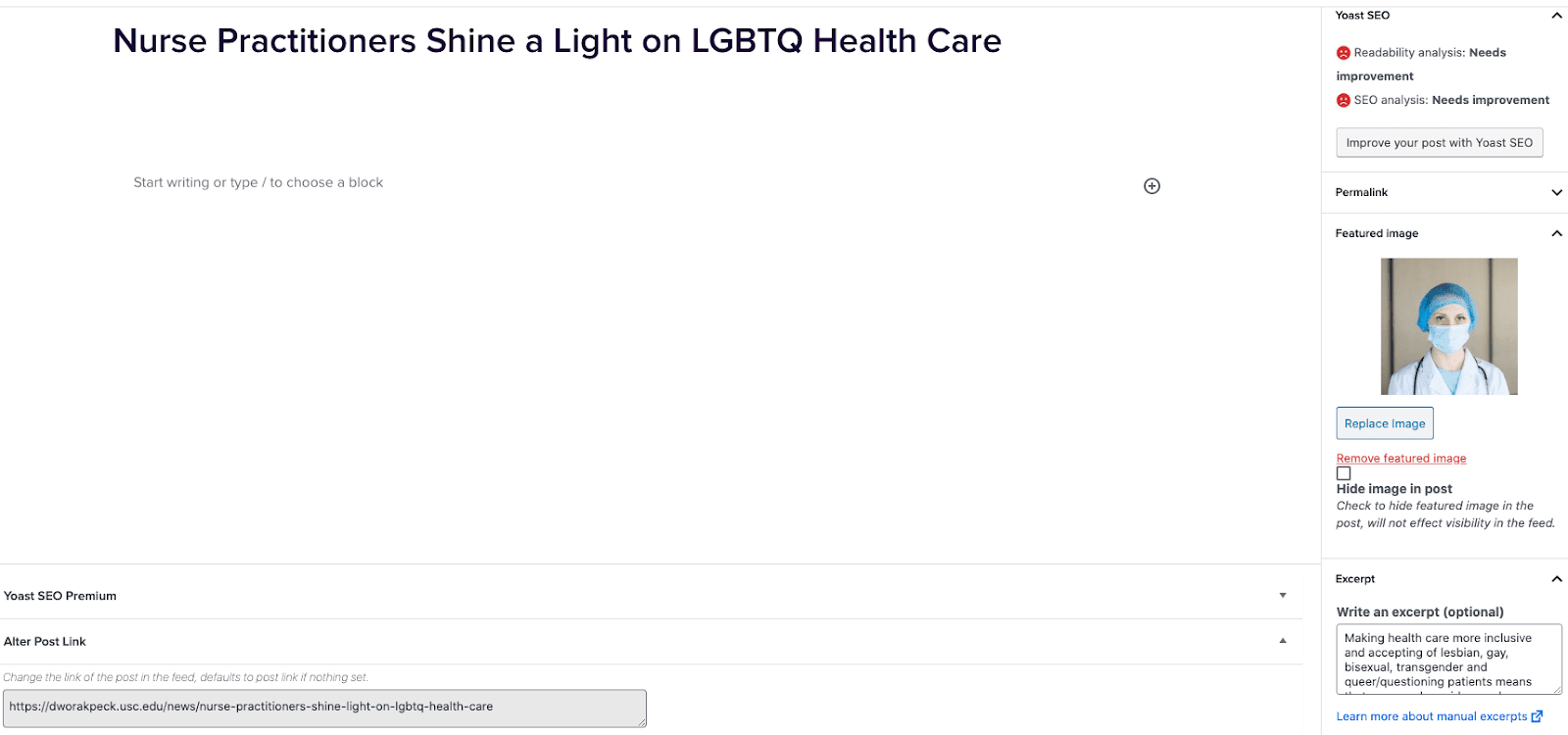
- Go to External News from the left sidebar inside WordPress and click ‘Add New’
- On the right hand menu add your featured image.
- On the right hand menu add the excerpt into the excerpt field.
- At the very bottom of the page add the URL into the ‘Alter Post Link’ field.
- Publish the post.
Including Internal Posts
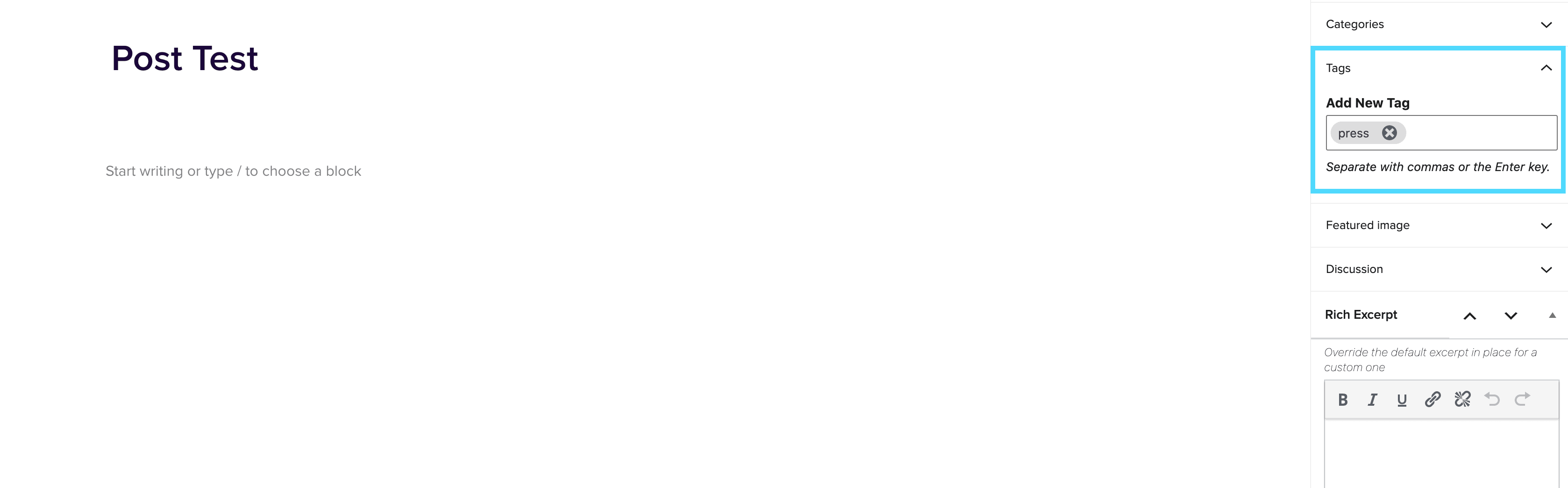
- Go to the post you want to include.
- On the right hand menu go to tags and add ‘press’ into the tags.
- Update the post.
Adding the block to a page
- Create a new page.
- If you want the feed to appear on a specific url then use the standard parent page feature on the right hand menu.
- Add the new news block page to the page by either typing /news or click on add block and then select the news block.
- You can adjust the block settings to change the posts per page and the heading colour.
- Finally publish the page.
Example of block:
In the News
Uploading Caption Files to Youtube Videos
November 16, 2021
Uploading Caption Files to Youtube Videos Youtube videos need captions to be accessible to hearing-impaired users. Youtube ususally auto-generates captions for its videos but these are unreliable since a robot makes them, so we additionally have caption files created by a vendor called 3Play Media. If a Web Producer has provided you with an SRT caption file, you can follow the following instructions to attach it to the associated video. Note: Don’t worry if you’re unable to open the SRT file. Your computer probably won’t know what program to open it with. As long as you download it somewhere on your […]
How to Use a Screen Reader
November 16, 2021
Screen Reader What is a screen reader used for? Screen readers are super useful for those trying to navigate through a page without actually looking at the page due to a seeing impairment. A great way to test out if your page is accessible, is to turn your dimness down to 0% (black screen) and try and tab through the page using the below techniques. How can I navigate through a page with just my keyboard? Screen readers do work across multple browsers, however work best on Safari. Turn the voice over on[command + f5] Tab by headers[control + option + […]
Accessibility Guidelines for 2U Marketing Web Properties
November 16, 2021
Accessibility Guidelines for 2U Marketing Web Properties Introduction Accessibility means access. It refers to the ability for everyone, regardless of disability or special needs, to access, use and benefit from everything within their environment. It is the “degree to which a product, device, service, or environment is available to as many people as possible.” Accessibility is one of the most important aspects of modern web development. Users of all types will have a better experience if you take accessibility concerns into account. It is also required by law for all federal EIT products to be accessible (with a few minor […]