News Block

The external news block can be used to display a feed of posts which link out of the website with the option to include internal posts. The block will primarily use the custom post type ‘External News’ to populate the feed and include any internal posts tagged with ‘press’.

Adding External Posts

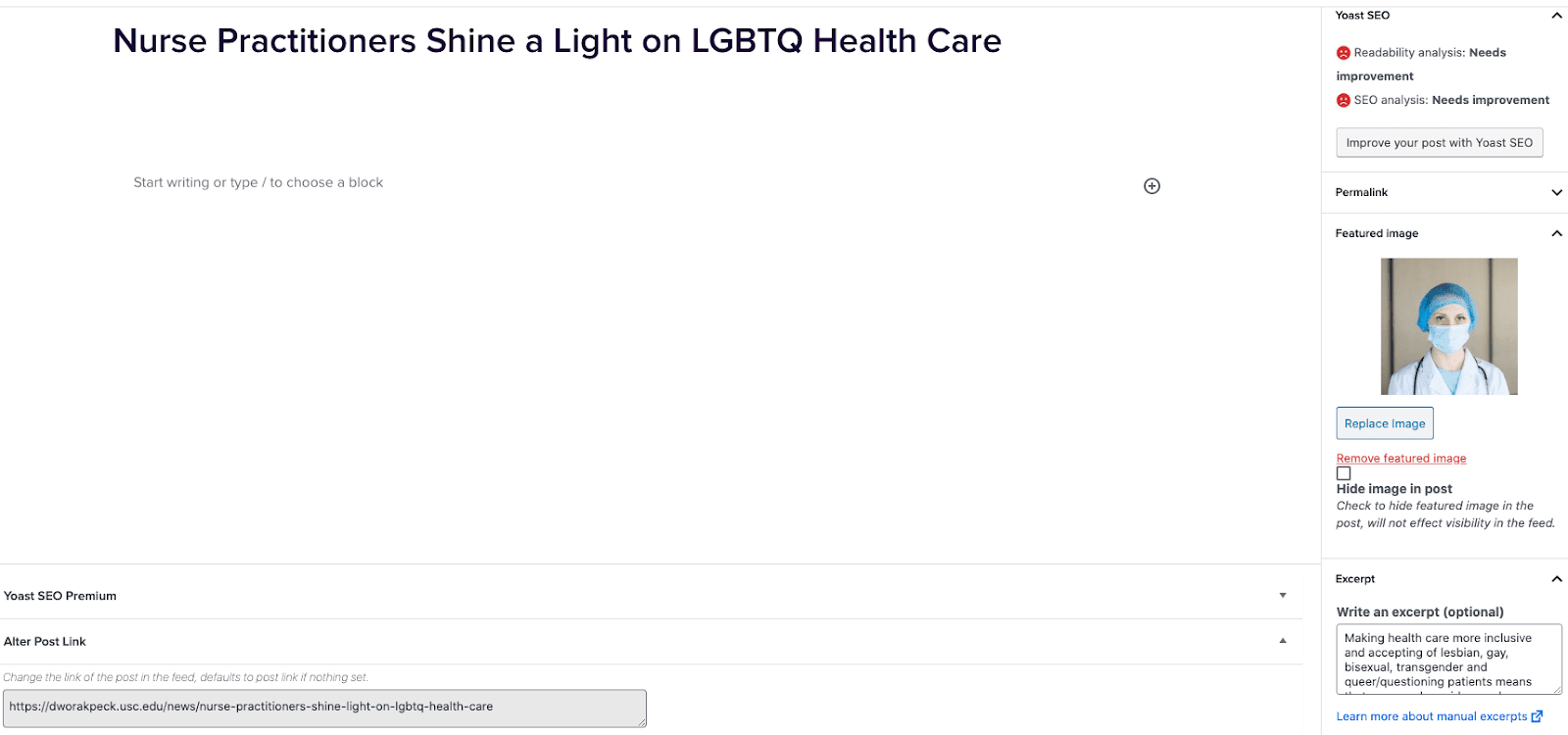
  1. Go to External News from the left sidebar inside WordPress and click ‘Add New’
  2. On the right hand menu add your featured image.
  3. On the right hand menu add the excerpt into the excerpt field.
  4. At the very bottom of the page add the URL into the ‘Alter Post Link’ field.
  5. Publish the post.

Including Internal Posts

  1. Go to the post you want to include.
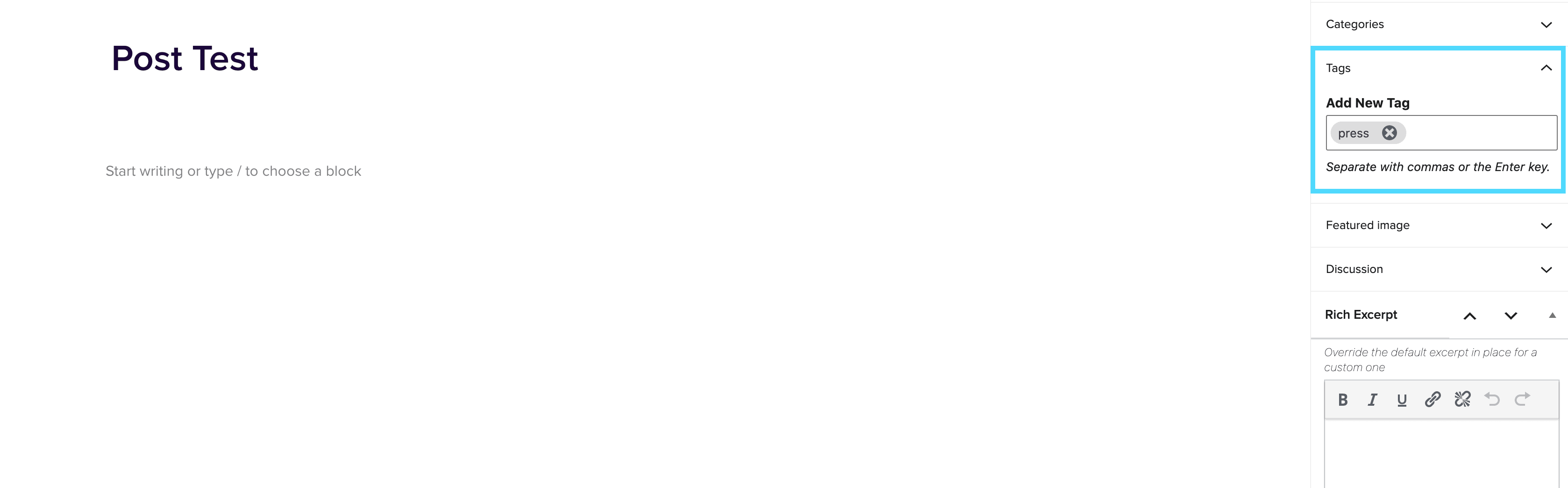
  2. On the right hand menu go to tags and add ‘press’ into the tags.
  3. Update the post.

Adding the block to a page

  1. Create a new page.
  2. If you want the feed to appear on a specific url then use the standard parent page feature on the right hand menu.
  3. Add the new news block page to the page by either typing /news or click on add block and then select the news block.
  4. You can adjust the block settings to change the posts per page and the heading colour.
  5. Finally publish the page.

Example of block:

In the News


Color Contrast Checker

January 27, 2022

Color Contrast Checker What is the color contrast checker? Allows you to test out multiple color variations to ensure they pass WCAG AA standard of 4:5:1 ratio. How to use the color contrast checker: Go to https://webaim.org/resources/contrastchecker/ Add in the hex value for the Foreground ColorAdd in the hex value for the Background ColorIf the test passes for WCAG AA – then the color combo is good to go!If the test fails for WCAG AA – then you will need to slide the lightness left and right until the results pass. The color needs to pass at least for large text. If it only […]

Bodega

January 5, 2022

Bodega This page will give you information about Bodega, our Paid Landing Page (PLP) CMS. For any additional questions you may have, please see the Bodega FAQ. Bodega Access Bodega Production To access Bodega, you must be signed into OneLogin. Once logged in, you can access through the OneLogin Portal or you can go directly to the URL https://bodega.2u.com/. Bodega Staging The Bodega staging environment  is primarily used by the Devs when they are creating and testing new features. We only use Bodega Staging for On-Boarding and learning how to use the CMS. There is no way to copy pages from Staging to Production. […]

Accessibility Documentation

January 5, 2022

Web Production’s Accessibility Guidelines Introduction Accessibility means access. It refers to the ability for everyone, regardless of disability or special needs, to access, use and benefit from everything within their environment. It is the “degree to which a product, device, service, or environment is available to as many people as possible.” Accessibility is one of the most important aspects of modern web development. Users of all types will have a better experience if you take accessibility concerns into account. It is also required by law for all federal EIT products to be accessible (with a few minor exceptions). 2U is […]

3PlayMedia

December 23, 2021

Transcribing Youtube Videos via 3PlayMedia All of our videos are captioned by a third-party service called 3PlayMedia. If you don’t have a login already, please reach out to Helpdesk to get access. After getting login credentials, you can access the admin here: https://account.3playmedia.com/user/sessions/new Before being able to caption videos, you’ll need to confirm the following: Is the video hosted on a Youtube account owned by the program, or by the school (this may or may not be ok)? Is the video set to ‘public’ (not ‘unlisted’ as shown in the screenshot below) When getting a request to add a video […]

Documentation

December 23, 2021

In this section, you’ll find a wealth of information about the various tools, tasks, and topics that compose our roles. It’s everything you need to know from A to Z! AccessibilityComprehensive checklist of what we should look out for to ensure that a page passes WCAG AA accessibility standards. BodegaLearn how to access and use Bodega, a paid landing page (PLP) CMS. Color Contrast CheckerA quick way to double check all colors pass accessibility standards. Harmony and Whitelabel InfoAn in-depth look at Harmony & Whitelabel and how they work together. Harmony Classes OverviewAn incomplete list of most frequently used Harmony classes. […]