


WordPress 5.9 “Joséphine” is slated for release on January 25, 2022, as the first major WordPress core release of the year.
Improvements
Better Social Icons and Buttons
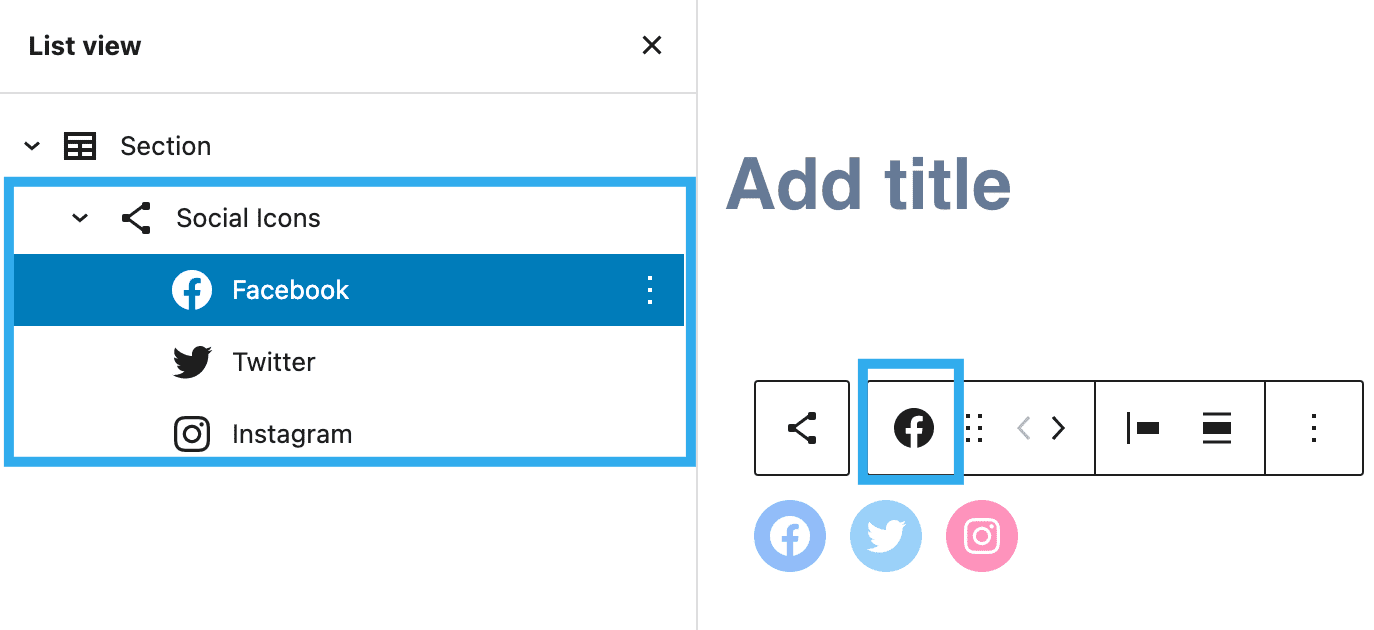
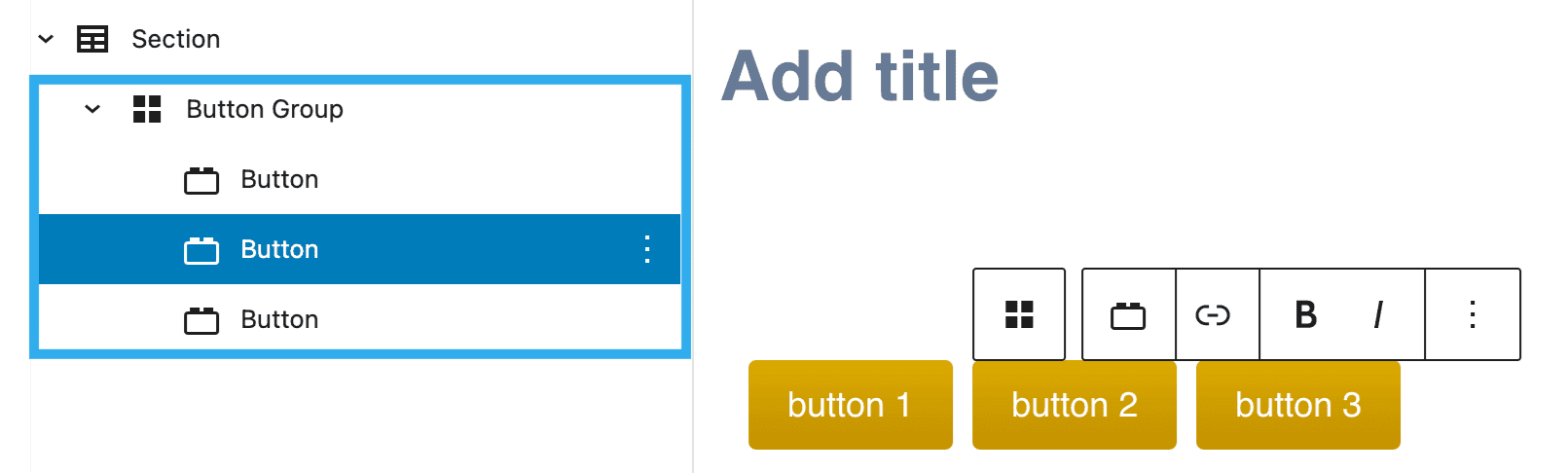
With previous versions of WordPress, it was a bit difficult to access controls of the parent and child blocks when working with social icons and buttons.
WordPress 5.9 now makes it easier by allowing child blocks to use the parent block’s toolbar.
A Better, More Powerful List View
List view is one of the most useful features of the block editor, especially if you are using more complex layouts (like with Kadence blocks.) List view had several limitations, but WordPress 5.9 greatly improves usability.
For example, in WordPress 5.9, you can now drag blocks around right in the list view. This makes moving blocks in the WordPress editor so much easier.
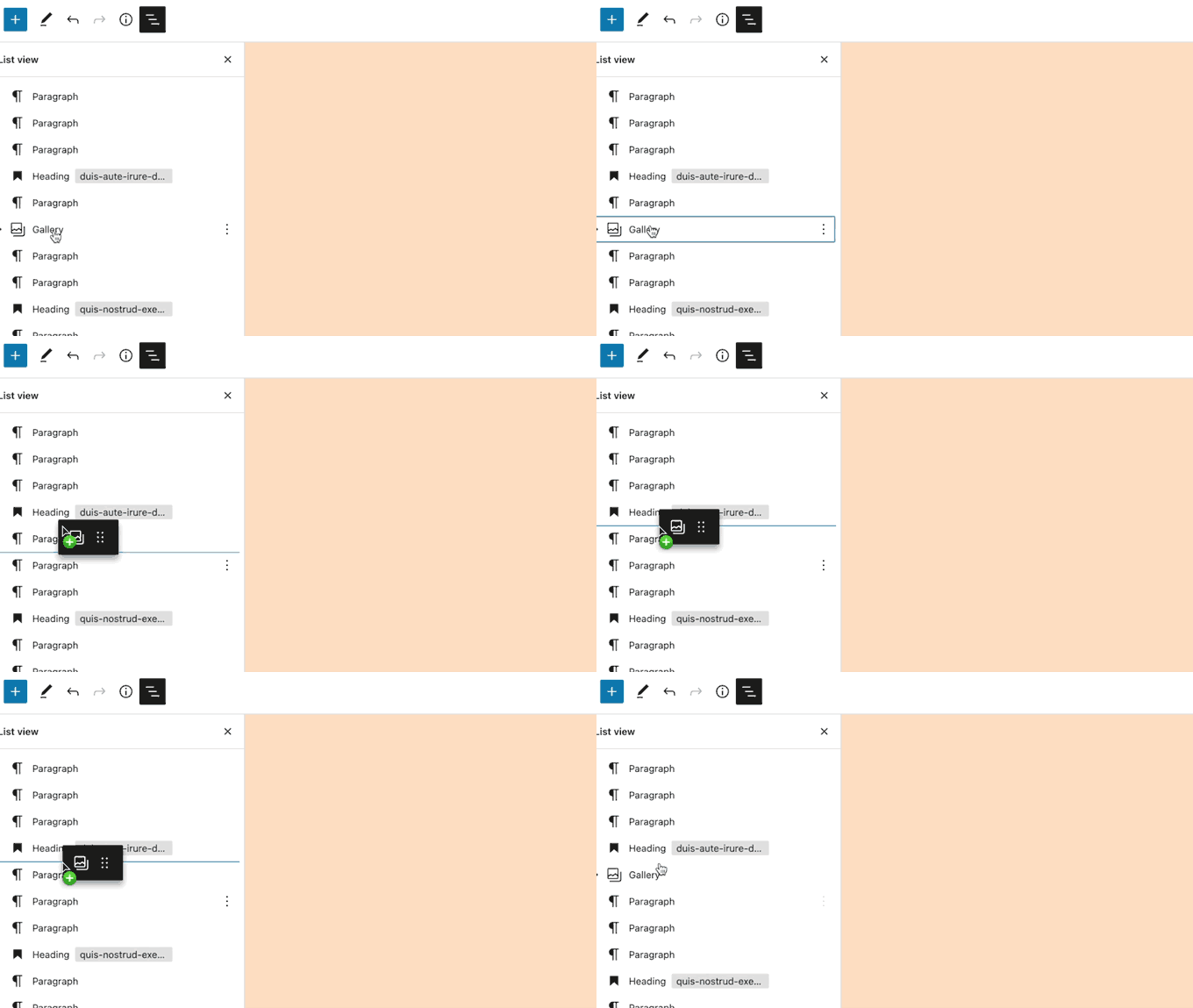
Especially for more complex layouts, this is extremely helpful. Now, simple controls let you expand and collapse sections as you build your site — and add HTML anchors to your blocks to help users get around a page.
In addition, now you can expand and collapse nested blocks, which is helpful for navigating complex block structures.
Choose Language During Login
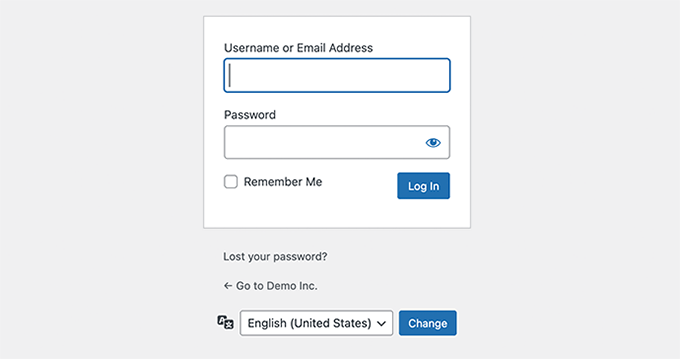
If you have multiple languages installed on your WordPress website, then users can now choose their preferred language on the login screen.
Performance Improvements in WordPress 5.9
WordPress is used by nearly 43.2% of all websites on the internet. A faster WordPress means a faster online experience for millions of users every day.
Each WordPress release devotes significant development time to improving performance. Here are some major performance improvements in WordPress 5.9.
Improved Lazy Loading of Images
WordPress comes with lazy loading for images since WordPress 5.5. However, it added lazy loading to all images which increased the Largest Contentful Paint metric (LCP).
With WordPress 5.9, images that are viewable upon initial load will skip lazy loading, improving your Core Web Vitals.
Better Handling of Block Styles and CSS
Previously, WordPress loaded all stylesheets for all blocks in a single file. With WordPress 5.9, only the styles needed will be loaded.
Block Editor Improvements
Perhaps the most used part of the block editor is the inserter itself. WordPress 5.9 makes the inserter faster, allowing you to quickly find the block you need to add.
The block inserter got a good performance boost! You’ll likely see a difference when searching and inserting blocks with speed and ease.

Under the Hood Changes in WordPress 5.9
WordPress 5.9 brings many changes for developers to explore and use in their own themes, plugins, and projects.
Following are some of these under the hood changes:
- A new block level locking mechanism is introduced to facilitate development of patterns and templates. (See details)
- New
is_post_type_viewablefilter allows developers to override theis_post_type_viewable()function. (#49628) - Similarly, the new
is_post_status_viewablefunction allows developers to override the post status object. (#54375) - WordPress core PHP Test Suite now supports PHPUnit 8.x via PHPUnit Polyfills library (See details)
- New function
wp_get_post_revisions_url()to get URL for a post revision. (#39062) - New
wp_list_users()template tag is introduced. (#15145)
Updates for Settings, Styles, and theme.json
WordPress 5.9 has changed theme.json v1 introduced in WordPress 5.8 to a v2. The existing v1 theme.json files will still work as expected, and they’ll be transformed at runtime to the v2 format by WordPress.