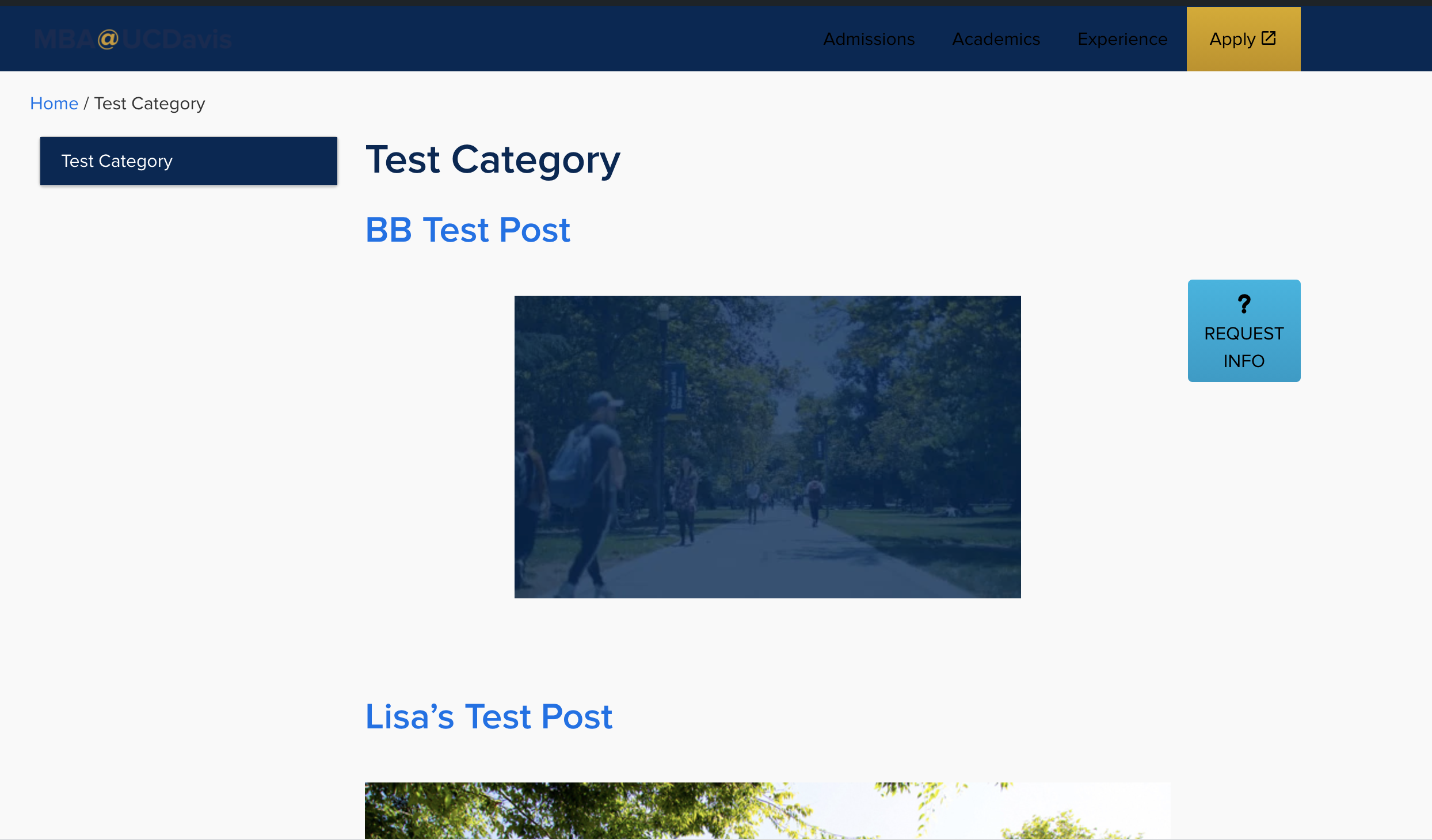
Blog / Archive page
The blog / archive feature allows you to organise and keep track of posts. Each post can be given one or many tags and/or categories, you will then be able to see posts within a specific tag or category in the archive.
Tags and categories can also be useful when pulling through specific posts into pages. This could be done using the ‘Post Block’ or ‘Dynamic Post Block.’
Adding tags and categories to posts
To begin click ‘add new’ post within the posts section of the editor. Once you have created a post you can use the options panel on the right to add your desired tags and categories.
Note: you will need to be using the ‘post’ tab, not the ‘block’ tab to see these options.
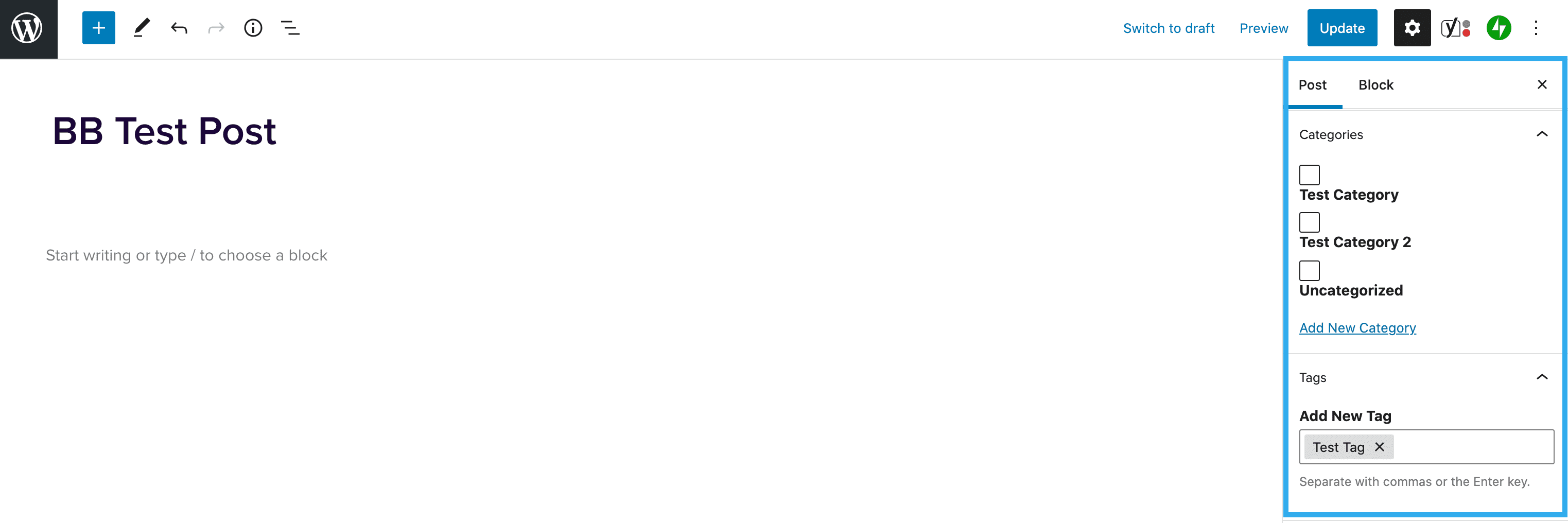
You can select any existing categories and tags, or create new ones. This can be done within the post using the above tools, or in the category and tag section on the Dashboard.
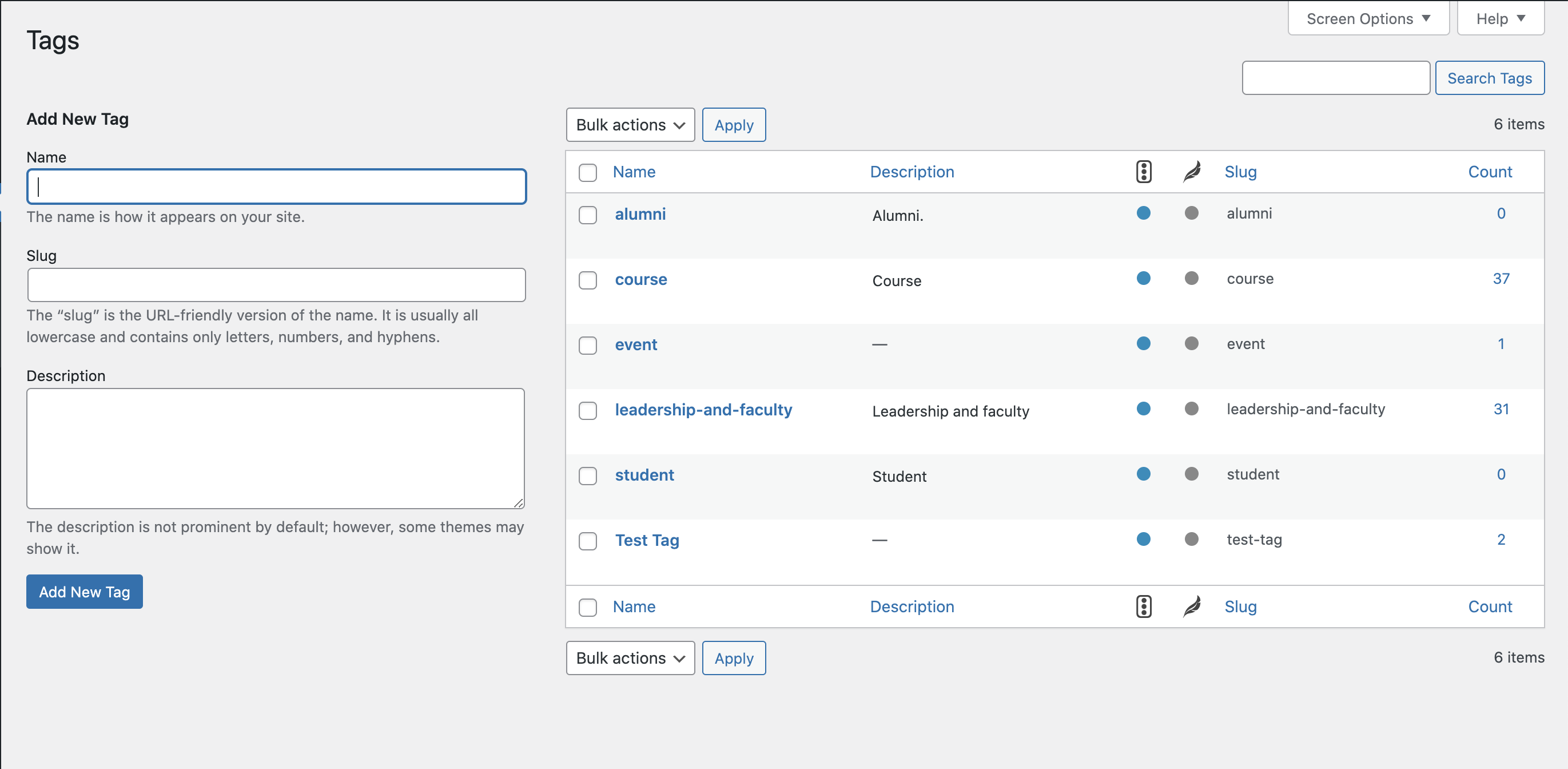
Accessing the Archive
Once you’ve tagged your post & published it, if you go to Posts > Categories in the dashboard. You’ll see the categories that are currently set up.
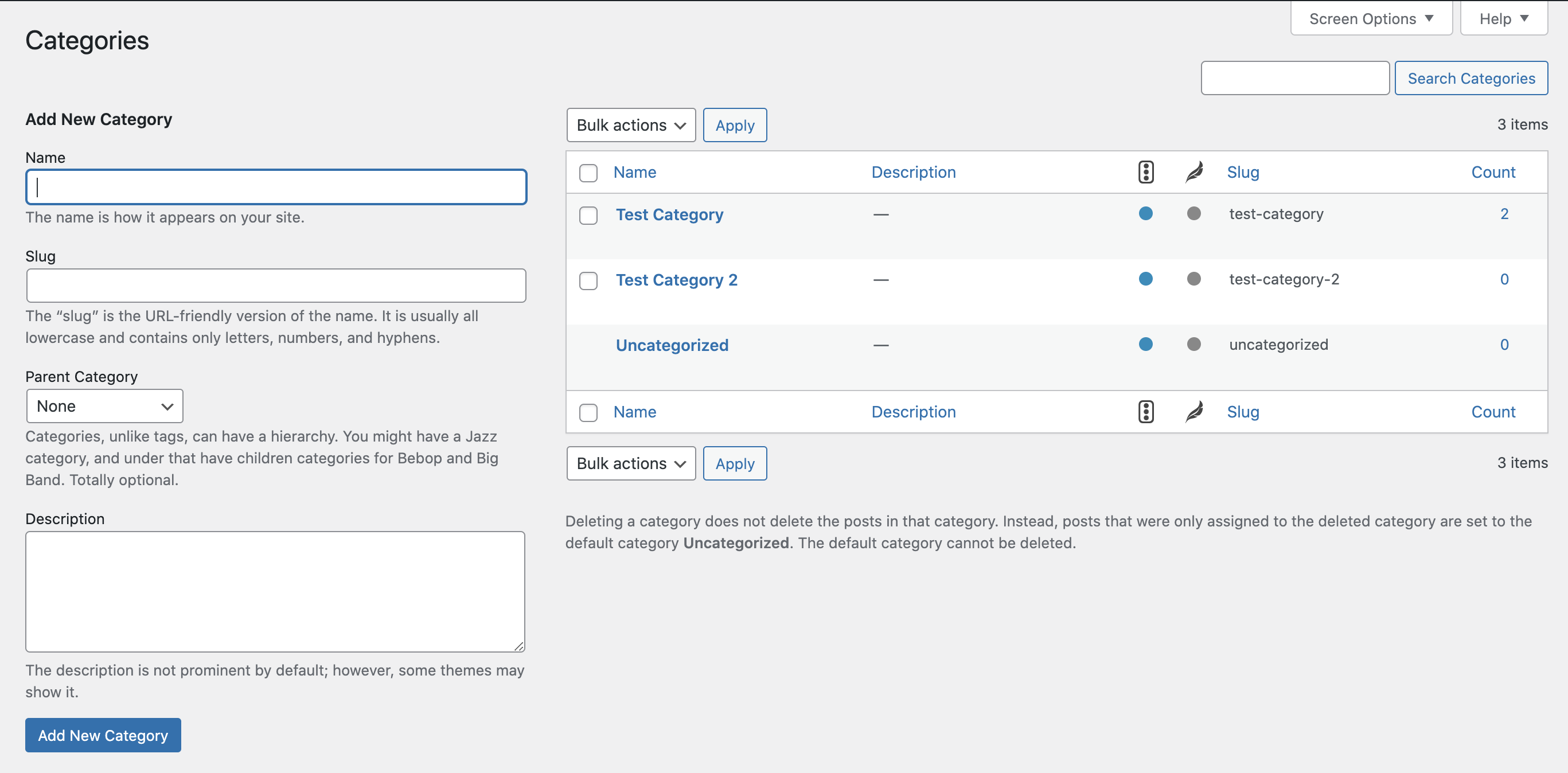
Under the category you’re using, click View and it’ll take you to the archive page for that category (the above steps apply for tags too).