


News Block
The external news block can be used to display a feed of posts which link out of the website with the option to include internal posts. The block will primarily use the custom post type ‘External News’ to populate the feed and include any internal posts tagged with ‘press’.
Adding External Posts
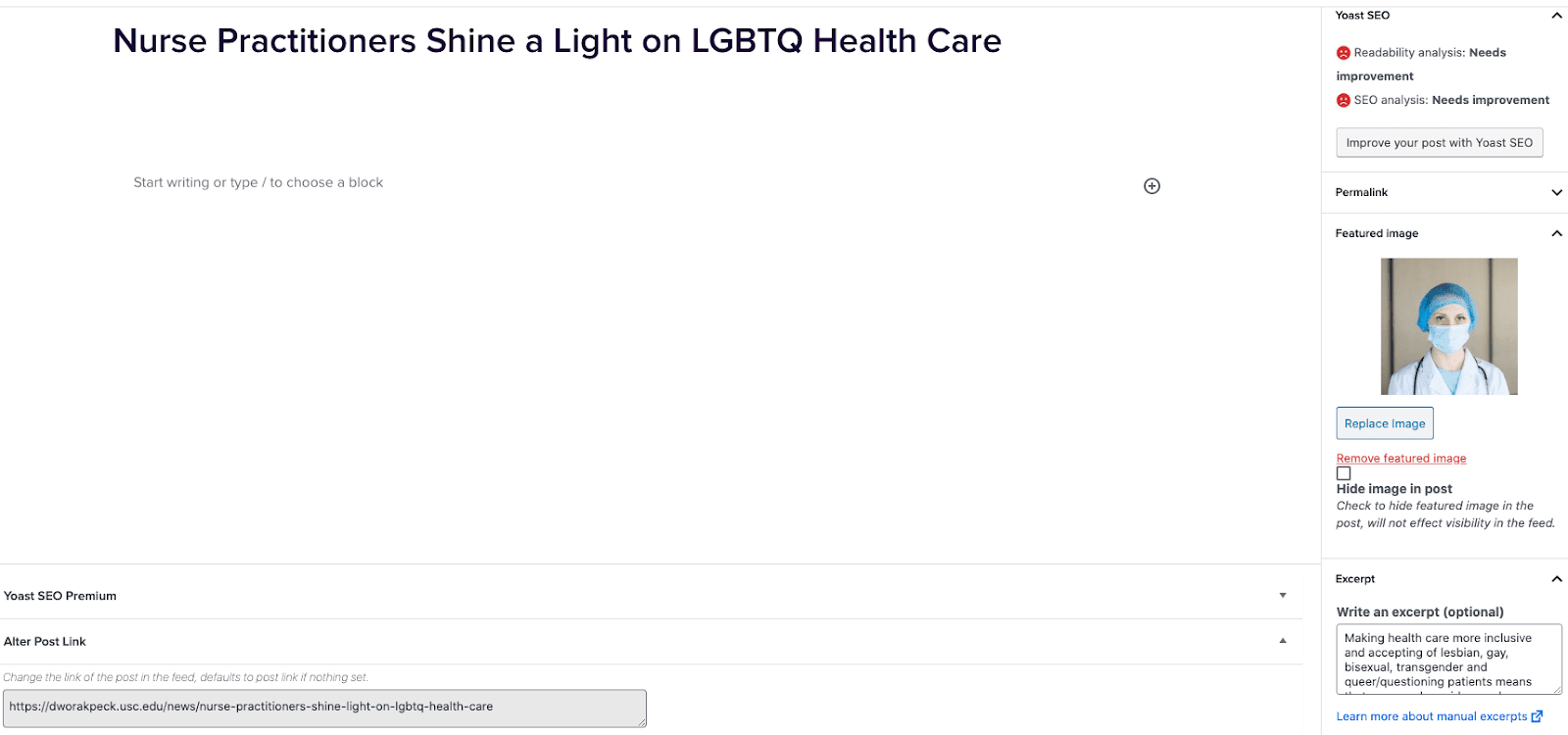
- Go to External News from the left sidebar inside WordPress and click ‘Add New’
- On the right hand menu add your featured image.
- On the right hand menu add the excerpt into the excerpt field.
- At the very bottom of the page add the URL into the ‘Alter Post Link’ field.
- Publish the post.
Including Internal Posts
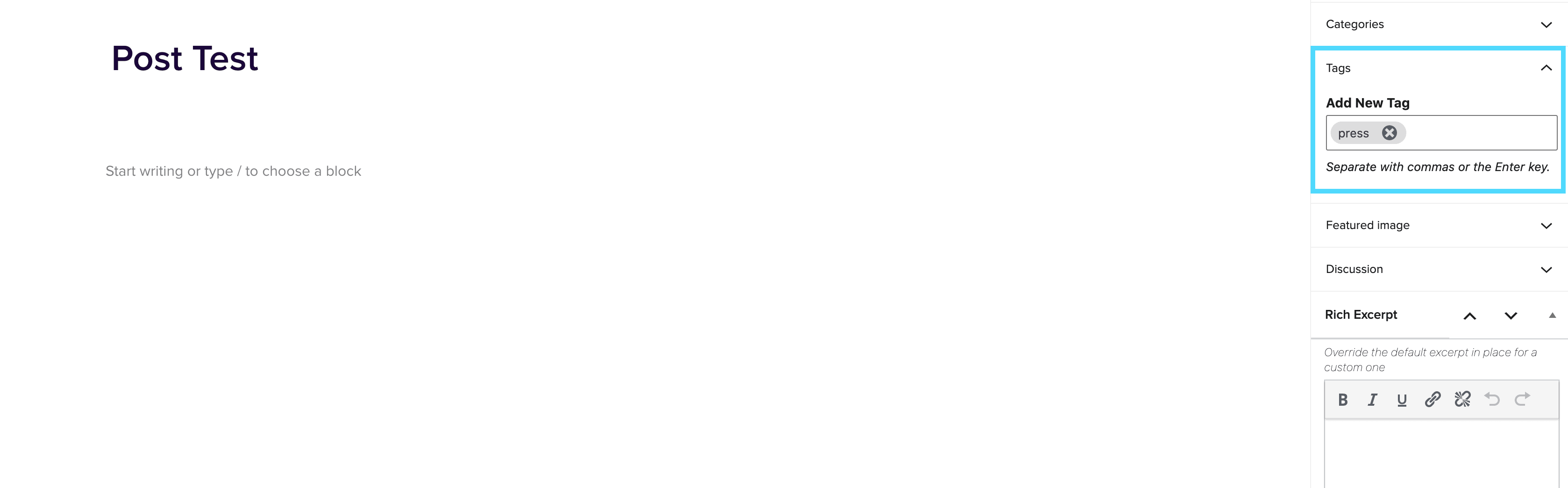
- Go to the post you want to include.
- On the right hand menu go to tags and add ‘press’ into the tags.
- Update the post.
Adding the block to a page
- Create a new page.
- If you want the feed to appear on a specific url then use the standard parent page feature on the right hand menu.
- Add the new news block page to the page by either typing /news or click on add block and then select the news block.
- You can adjust the block settings to change the posts per page and the heading colour.
- Finally publish the page.
Example of block:
In the News
SalesForce Term Objects
March 24, 2026
Background: The idea for this project came from the desire to automate changes to different degree site pages whenever a school term date changed. School term dates include variables like application submission date, term start date, etc. This information is stored in Salesforce and managed the Program Directors (PD) team, who must notify the WebOps team about changing dates. With Salesforce Term Objects in WordPress this step can be automated. The Iteration Squad released Salesforce Term data integrations into the WordPress production environments in November 2025. What does this look like in WordPress? A Plugin A Dashboard How to Use […]