


News Block
The external news block can be used to display a feed of posts which link out of the website with the option to include internal posts. The block will primarily use the custom post type ‘External News’ to populate the feed and include any internal posts tagged with ‘press’.
Adding External Posts
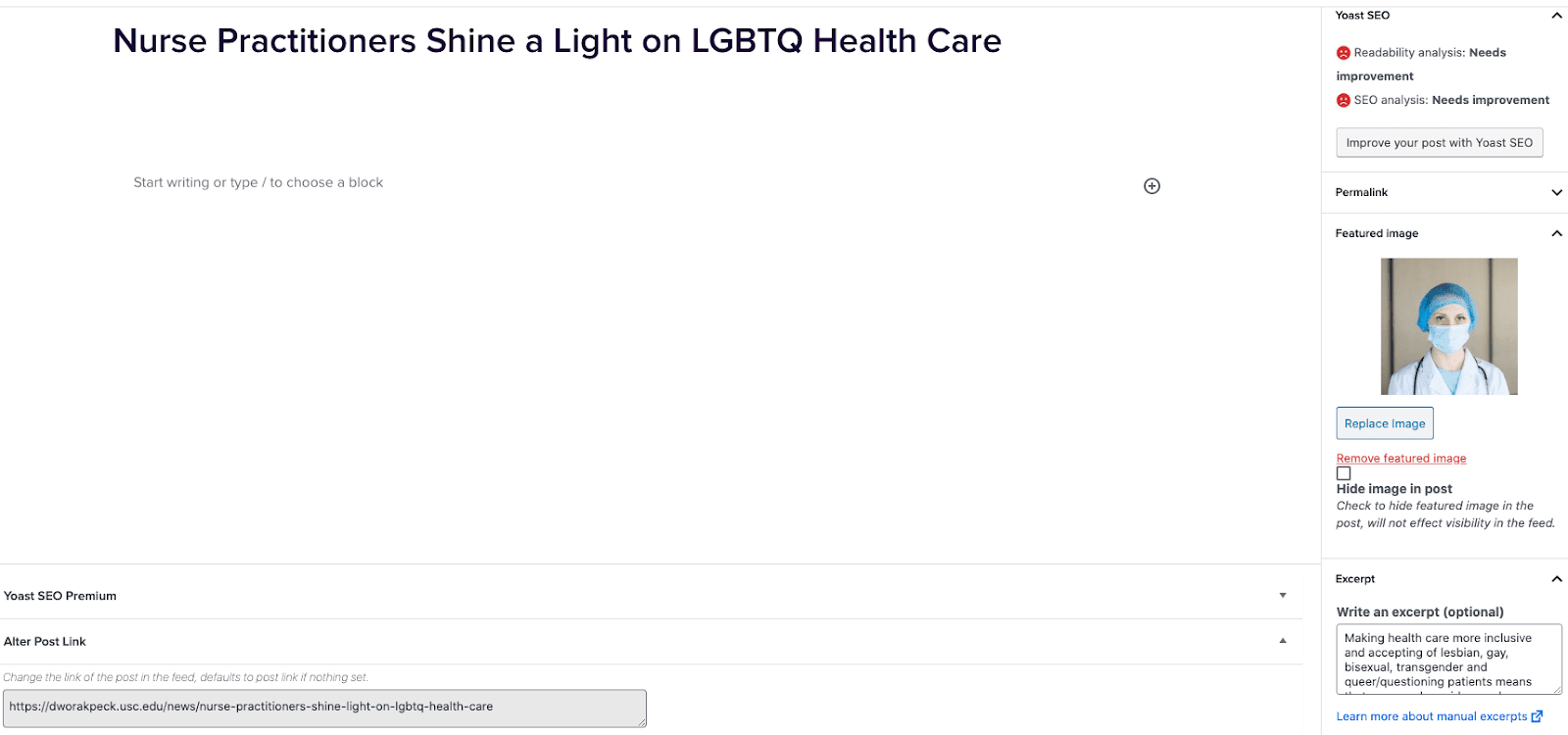
- Go to External News from the left sidebar inside WordPress and click ‘Add New’
- On the right hand menu add your featured image.
- On the right hand menu add the excerpt into the excerpt field.
- At the very bottom of the page add the URL into the ‘Alter Post Link’ field.
- Publish the post.
Including Internal Posts
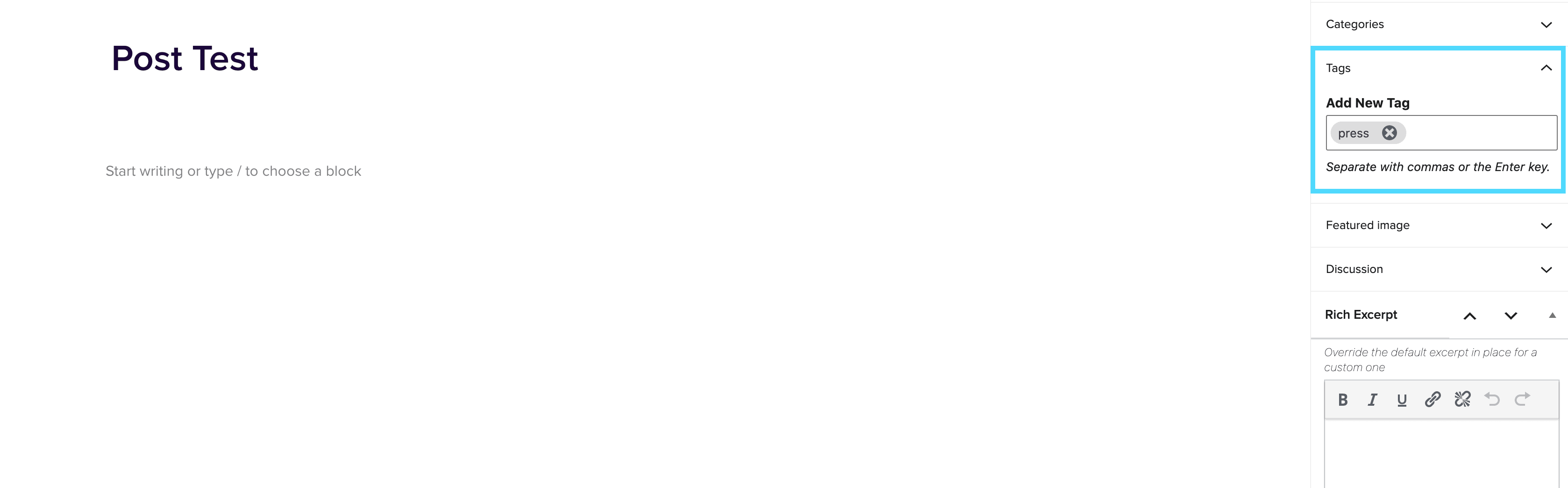
- Go to the post you want to include.
- On the right hand menu go to tags and add ‘press’ into the tags.
- Update the post.
Adding the block to a page
- Create a new page.
- If you want the feed to appear on a specific url then use the standard parent page feature on the right hand menu.
- Add the new news block page to the page by either typing /news or click on add block and then select the news block.
- You can adjust the block settings to change the posts per page and the heading colour.
- Finally publish the page.
Example of block:
In the News
News Block
October 8, 2020
News Block The external news block can be used to display a feed of posts which link out of the website with the option to include internal posts. The block will primarily use the custom post type ‘External News’ to populate the feed and include any internal posts tagged with ‘press’. Adding External Posts Go to External News from the left sidebar inside WordPress and click ‘Add New’On the right hand menu add your featured image.On the right hand menu add the excerpt into the excerpt field.At the very bottom of the page add the URL into the ‘Alter Post […]
Separator Block
September 15, 2020
Separator Block The Separator Block can be used to divide content within a page. We have extended the core Gutenberg Separator Block to add new styling options for the 2U theme. Colour Setting This setting allows you to select the colour of the separator. The colours will come down from Whitelabel, into the Global Settings area of the Dashboard, so you will not have the ability to add new colours here, unless an admin-level user does this for you. Separator Width Setting This setting allows you to adjust the width of your separator; so you can choose to have your […]