News Block

The external news block can be used to display a feed of posts which link out of the website with the option to include internal posts. The block will primarily use the custom post type ‘External News’ to populate the feed and include any internal posts tagged with ‘press’.

Adding External Posts

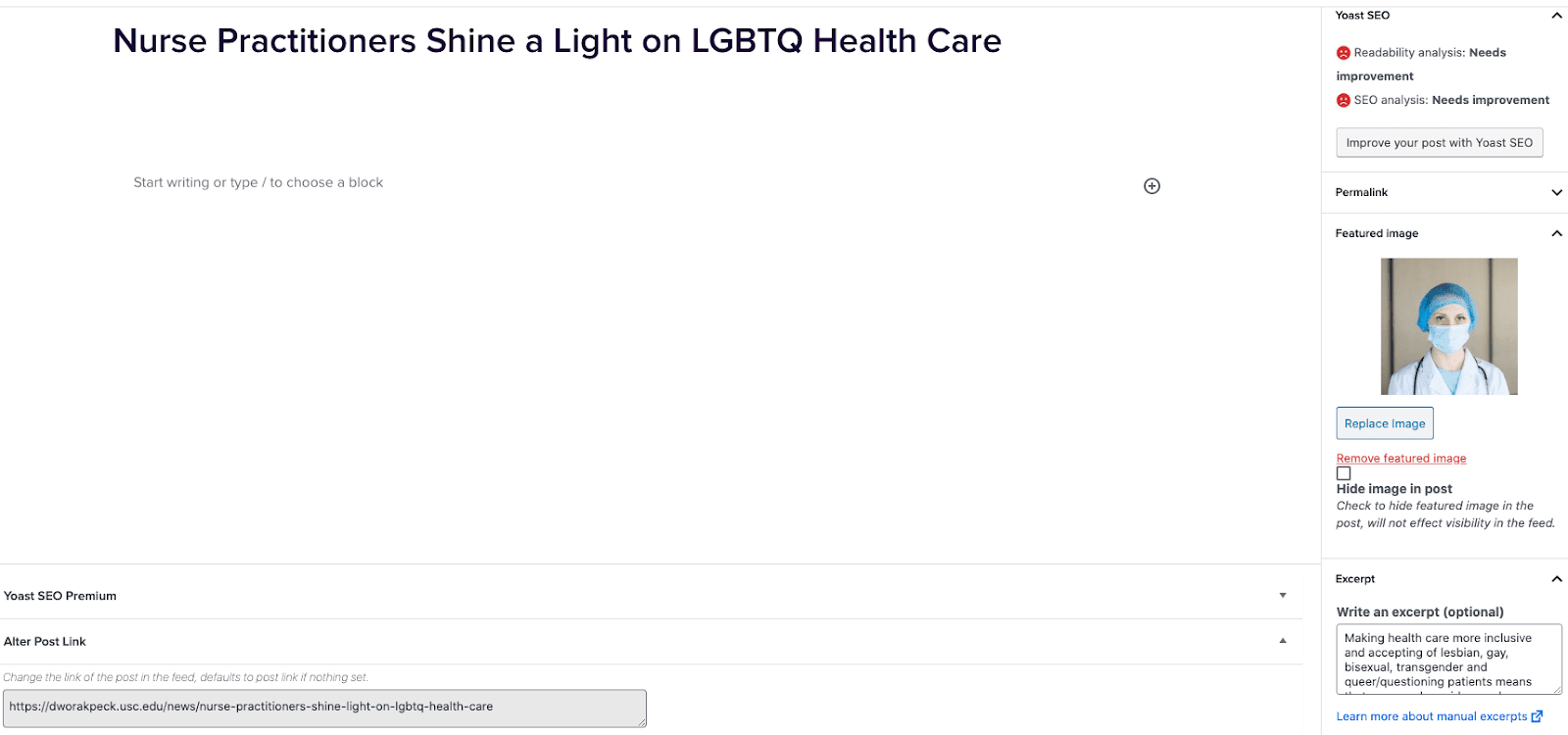
  1. Go to External News from the left sidebar inside WordPress and click ‘Add New’
  2. On the right hand menu add your featured image.
  3. On the right hand menu add the excerpt into the excerpt field.
  4. At the very bottom of the page add the URL into the ‘Alter Post Link’ field.
  5. Publish the post.

Including Internal Posts

  1. Go to the post you want to include.
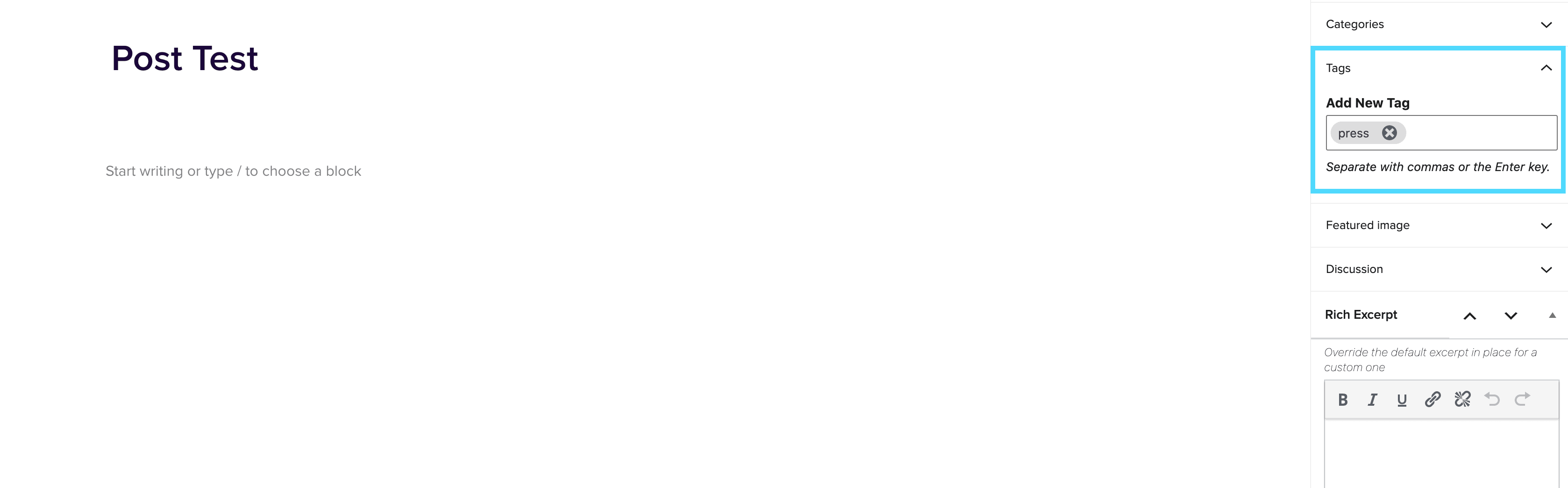
  2. On the right hand menu go to tags and add ‘press’ into the tags.
  3. Update the post.

Adding the block to a page

  1. Create a new page.
  2. If you want the feed to appear on a specific url then use the standard parent page feature on the right hand menu.
  3. Add the new news block page to the page by either typing /news or click on add block and then select the news block.
  4. You can adjust the block settings to change the posts per page and the heading colour.
  5. Finally publish the page.

Example of block:

In the News


Footer Override

January 14, 2021

Footer Override The Footer Override block enables the ability to hide the footer so that custom footer can be added in its place. How to use Insert the Footer Override block at the top of your page by typing /Footer or selecting it from the block menu. This will then allow you to override the global settings and create a custom footer on a specific page/pages. You can choose from either Basic or Pip. The Basic option allows you to alter the Telephone Number, Email Address and Social Icons (toggle on or off). The Pip option enables you to change […]

Release 3.7.0 Summary

December 17, 2020

Negative margin “flag” class for section block, CTA borders, text/media image focus

test

December 16, 2020

Some Text Different Colors

Release 3.5.0 Summary

November 24, 2020

Negative margins for cards, custom footer layouts, fixes for hero mobile image and ghost button