


News Block
The external news block can be used to display a feed of posts which link out of the website with the option to include internal posts. The block will primarily use the custom post type ‘External News’ to populate the feed and include any internal posts tagged with ‘press’.
Adding External Posts
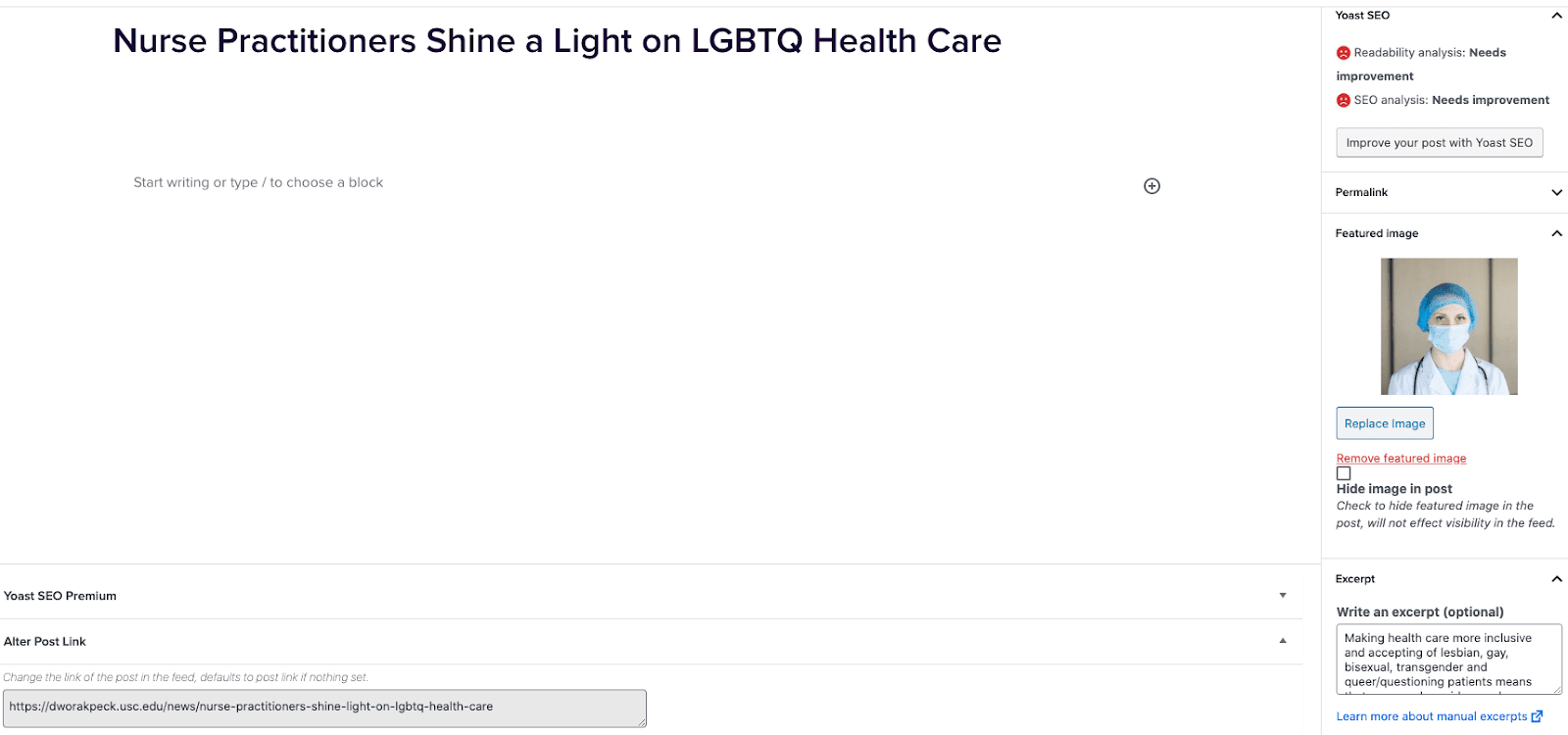
- Go to External News from the left sidebar inside WordPress and click ‘Add New’
- On the right hand menu add your featured image.
- On the right hand menu add the excerpt into the excerpt field.
- At the very bottom of the page add the URL into the ‘Alter Post Link’ field.
- Publish the post.
Including Internal Posts
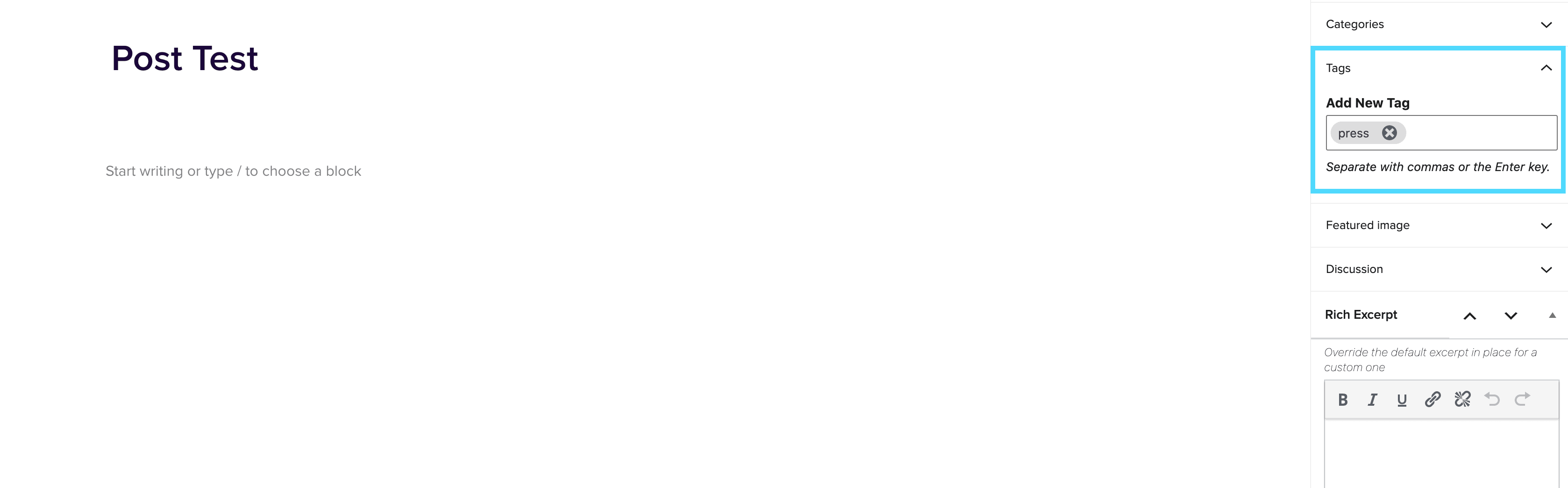
- Go to the post you want to include.
- On the right hand menu go to tags and add ‘press’ into the tags.
- Update the post.
Adding the block to a page
- Create a new page.
- If you want the feed to appear on a specific url then use the standard parent page feature on the right hand menu.
- Add the new news block page to the page by either typing /news or click on add block and then select the news block.
- You can adjust the block settings to change the posts per page and the heading colour.
- Finally publish the page.
Example of block:
In the News
test page here
January 22, 2025
Lorem ipsum dolor sit amet, consectetur adipiscing elit. Etiam varius arcu vel diam tincidunt, eget blandit tellus convallis. Integer varius tristique auctor. Praesent efficitur quam sed interdum dignissim. Nulla facilisi. Integer pulvinar pharetra quam nec porttitor. Aenean condimentum eleifend ex, sed pharetra mi gravida ut. Quisque convallis aliquam sapien, eget convallis metus sagittis commodo. Phasellus ac ultricies felis. In hac habitasse platea dictumst. Sed porttitor, mi nec feugiat pellentesque, enim justo pulvinar purus, id hendrerit leo nisi non nisi. Sed tempus metus id tempor fermentum. Morbi fermentum sapien vitae rhoncus hendrerit. Integer id eros lacinia sem cursus interdum nec id […]