


News Block
The external news block can be used to display a feed of posts which link out of the website with the option to include internal posts. The block will primarily use the custom post type ‘External News’ to populate the feed and include any internal posts tagged with ‘press’.
Adding External Posts
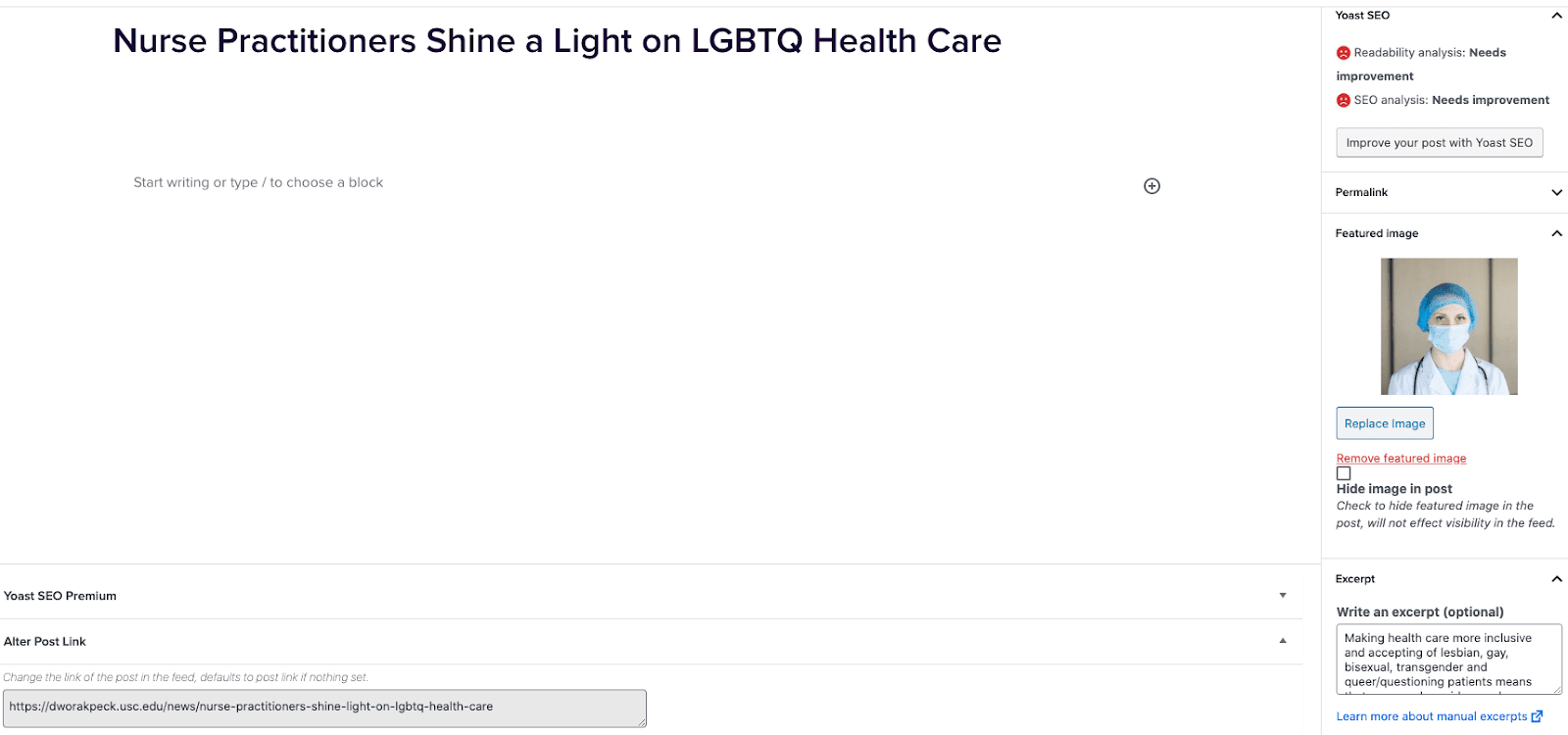
- Go to External News from the left sidebar inside WordPress and click ‘Add New’
- On the right hand menu add your featured image.
- On the right hand menu add the excerpt into the excerpt field.
- At the very bottom of the page add the URL into the ‘Alter Post Link’ field.
- Publish the post.
Including Internal Posts
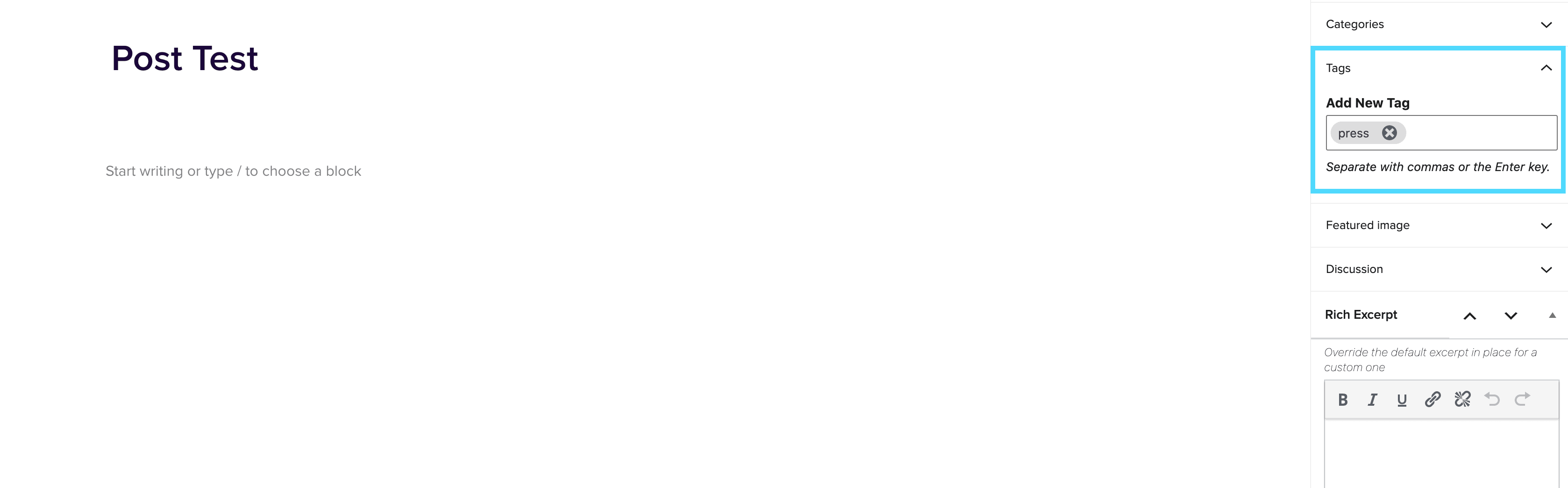
- Go to the post you want to include.
- On the right hand menu go to tags and add ‘press’ into the tags.
- Update the post.
Adding the block to a page
- Create a new page.
- If you want the feed to appear on a specific url then use the standard parent page feature on the right hand menu.
- Add the new news block page to the page by either typing /news or click on add block and then select the news block.
- You can adjust the block settings to change the posts per page and the heading colour.
- Finally publish the page.
Example of block:
In the News
Stats Block
January 22, 2021
Stats Block The Stats block allows you display multiple stats in a clear and eye catching way. How to use Firstly select the Stats Container block by typing /Stats Container or selecting it from the block menu. You will then need to decide how many stats you wish to display in a row, the options are 1-5. Once you have selected how many stats you want to display you can insert any value and information you require on the page (see above). These can then be edited independently from one another. Colour settings Each stat container can be customised separately. […]