News Block
The external news block can be used to display a feed of posts which link out of the website with the option to include internal posts. The block will primarily use the custom post type ‘External News’ to populate the feed and include any internal posts tagged with ‘press’.
Adding External Posts
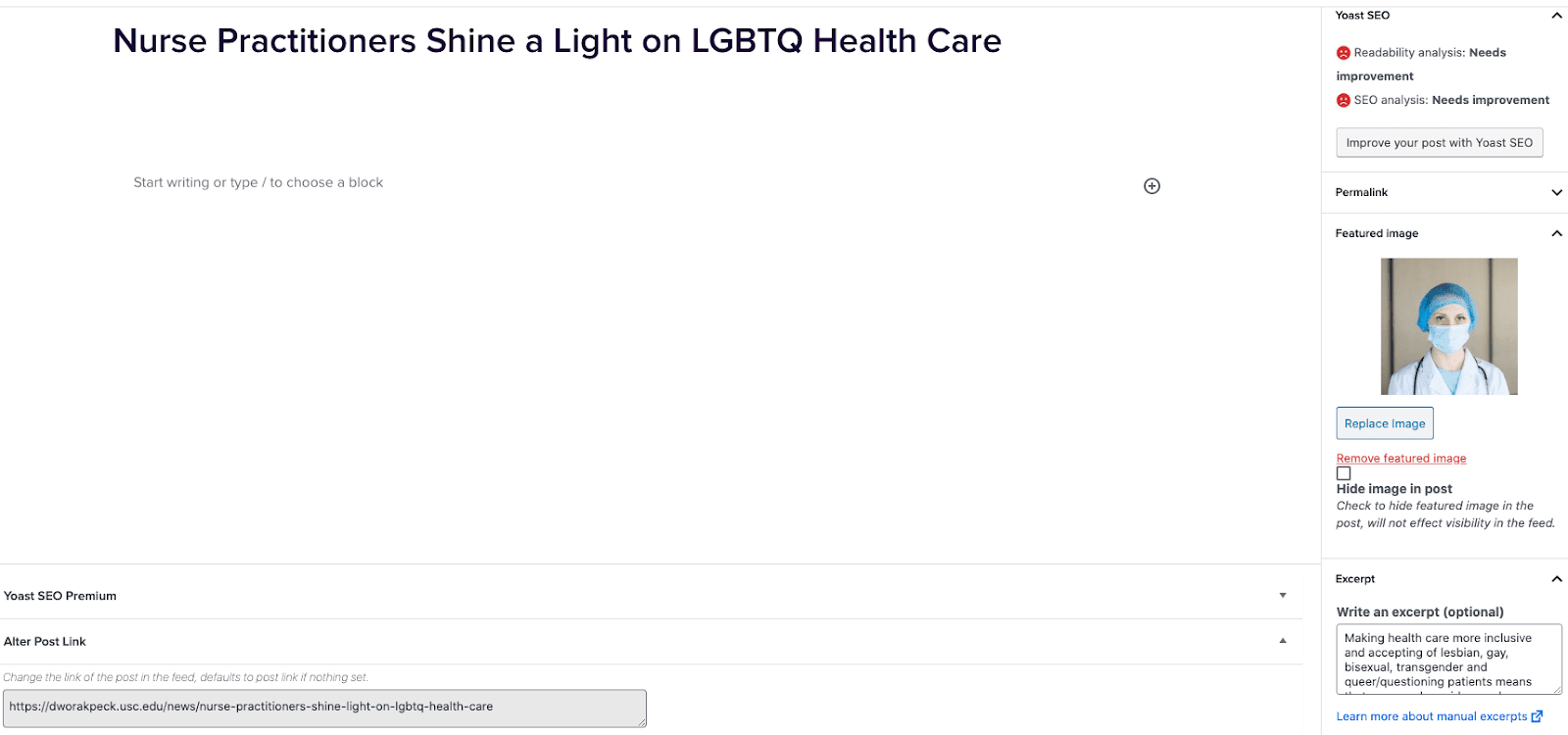
- Go to External News from the left sidebar inside WordPress and click ‘Add New’
- On the right hand menu add your featured image.
- On the right hand menu add the excerpt into the excerpt field.
- At the very bottom of the page add the URL into the ‘Alter Post Link’ field.
- Publish the post.

Including Internal Posts
- Go to the post you want to include.
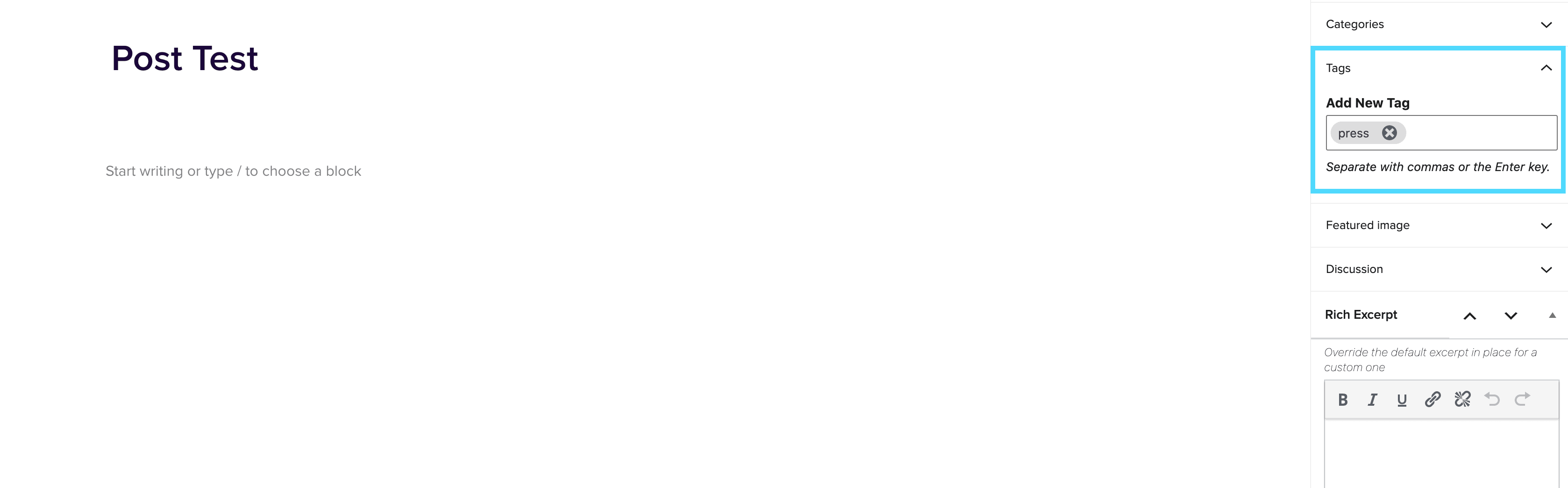
- On the right hand menu go to tags and add ‘press’ into the tags.
- Update the post.

Adding the block to a page
- Create a new page.
- If you want the feed to appear on a specific url then use the standard parent page feature on the right hand menu.
- Add the new news block page to the page by either typing /news or click on add block and then select the news block.
- You can adjust the block settings to change the posts per page and the heading colour.
- Finally publish the page.
Example of block:
In the News
Blog / Archive page
April 14, 2021
Blog / Archive page The blog / archive feature allows you to organise and keep track of posts. Each post can be given one or many tags and/or categories, you will then be able to see posts within a specific tag or category in the archive. Tags and categories can also be useful when pulling through specific posts into pages. This could be done using the ‘Post Block’ or ‘Dynamic Post Block.’ Adding tags and categories to posts To begin click ‘add new’ post within the posts section of the editor. Once you have created a post you can use […]