News Block

The external news block can be used to display a feed of posts which link out of the website with the option to include internal posts. The block will primarily use the custom post type ‘External News’ to populate the feed and include any internal posts tagged with ‘press’.

Adding External Posts

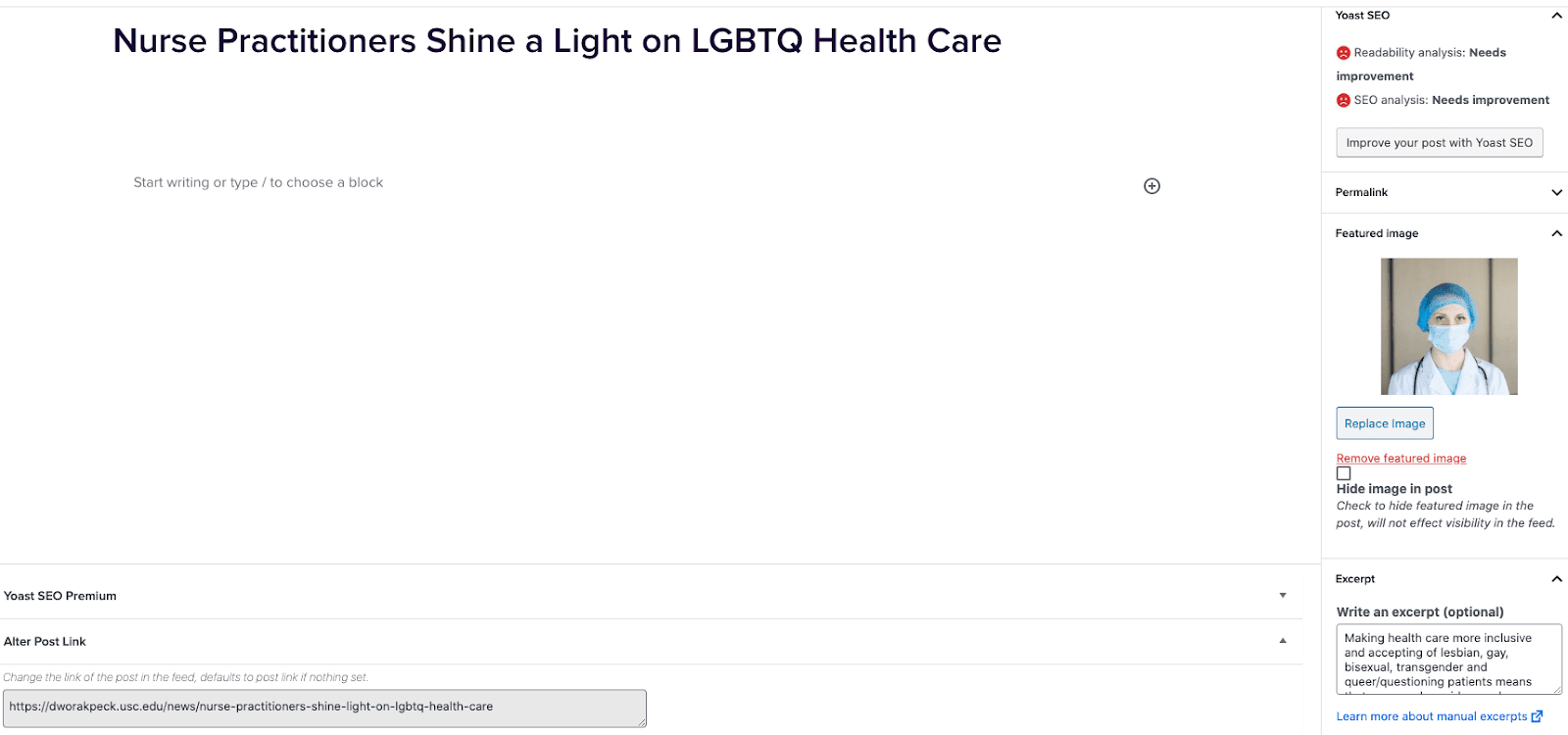
  1. Go to External News from the left sidebar inside WordPress and click ‘Add New’
  2. On the right hand menu add your featured image.
  3. On the right hand menu add the excerpt into the excerpt field.
  4. At the very bottom of the page add the URL into the ‘Alter Post Link’ field.
  5. Publish the post.

Including Internal Posts

  1. Go to the post you want to include.
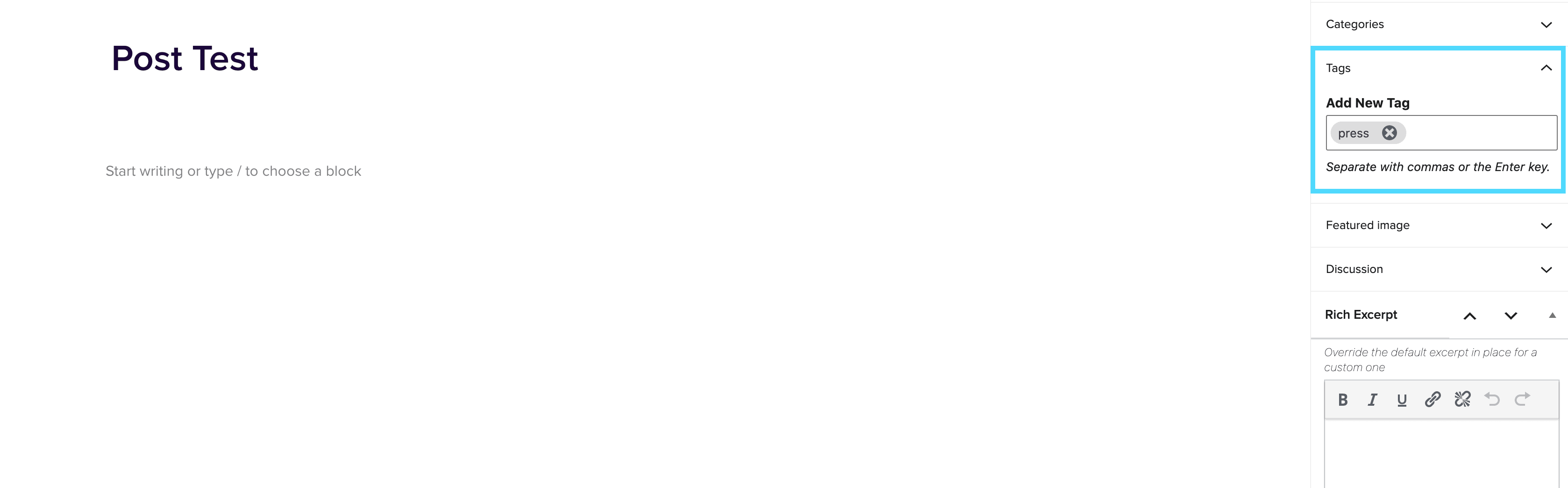
  2. On the right hand menu go to tags and add ‘press’ into the tags.
  3. Update the post.

Adding the block to a page

  1. Create a new page.
  2. If you want the feed to appear on a specific url then use the standard parent page feature on the right hand menu.
  3. Add the new news block page to the page by either typing /news or click on add block and then select the news block.
  4. You can adjust the block settings to change the posts per page and the heading colour.
  5. Finally publish the page.

Example of block:

In the News


Accessibility

November 16, 2021

Accessibility What is Accessibility? Accessibility means access. It refers to the ability for everyone, regardless of disability or special needs, to access, use and benefit from everything within their environment. It is the “degree to which a product, device, service, or environment is available to as many people as possible.” POUR: The 4 Principles of Web Accessibility  Perceivable information and user interfaceText alternatives for non-text contentCaptions and other alternatives for multimediaContent can be presented in different waysContent is easier to see and hearOperable user interface and navigationFunctionality is available from a keyboardUsers have enough time to read and use the […]

Web Production

November 16, 2021

Web Production Please visit https://tap.production.twoyou.co/

Dynamic Variables

November 12, 2021

Dynamic Variables Note: In order to use this feature on a site, two plugins must be enabled: “Global Variables” and “Custom Fields” The Dynamic Variables feature allows you to add a list of site and global-level variables that can be auto-populated into content across the site when inserted into a page or post.  For v1 of the feature, the variables would be added manually to the Network settings and site specific variables, can be added on a site by site basis.  In future versions of the feature, we will look to integrate this plugin with Central Park so that variables […]

Release 5.5.0 Summary

October 7, 2021

DNS link field for PLP footers, accordion margins, span styles for paragraphs and headers, option for all cap text, blog improvements, text media 2u image block and more.

List test

August 26, 2021

Lorem ipsum dolor sit amet, consectetur adipiscing elit. Nulla vel libero non massa bibendum tempus non vel massa. Vivamus sollicitudin, nunc sed pellentesque posuere, nibh tortor finibus justo, eu ultrices nisl sem sit amet urna. Ut quis vulputate mauris. Suspendisse at velit mi. In erat ipsum, varius vitae libero ut, malesuada dictum mi. Fusce vulputate massa nisl. In et molestie mauris. Donec vel arcu in turpis placerat semper. Praesent pulvinar massa id volutpat lobortis. Cras ut tincidunt leo, vel cursus enim. Donec eget mattis orci, id molestie tortor. Cras posuere imperdiet metus, at semper diam convallis non. Donec ligula turpis, […]