


Jump To Navigation
Jump to:
The Top
The bottom.
The Jump to Navigation block allows users to easily navigate around a page by jumping to a specific section from anywhere on the page. The Section block must be used with the Jump to Nav block as it will jump to sections only and not individual blocks.
When creating your page, you will need to contain all block content within sections, and if you wish to be able to jump to a section you will need to turn on the Include Jump to Navigation in the options panel of the Section block:

You must also include a Jump to Navigation title, this will usually be the heading of the section you wish to jump to, in this example we have used Section 1.
Once you have turned on Include Jump to Navigation in the Section block you can insert the Jump to Navigation block, it is important that this is not inserted within the existing section block, it must be stand alone. The title you chose for your section will already be included in the Jump to Nav:
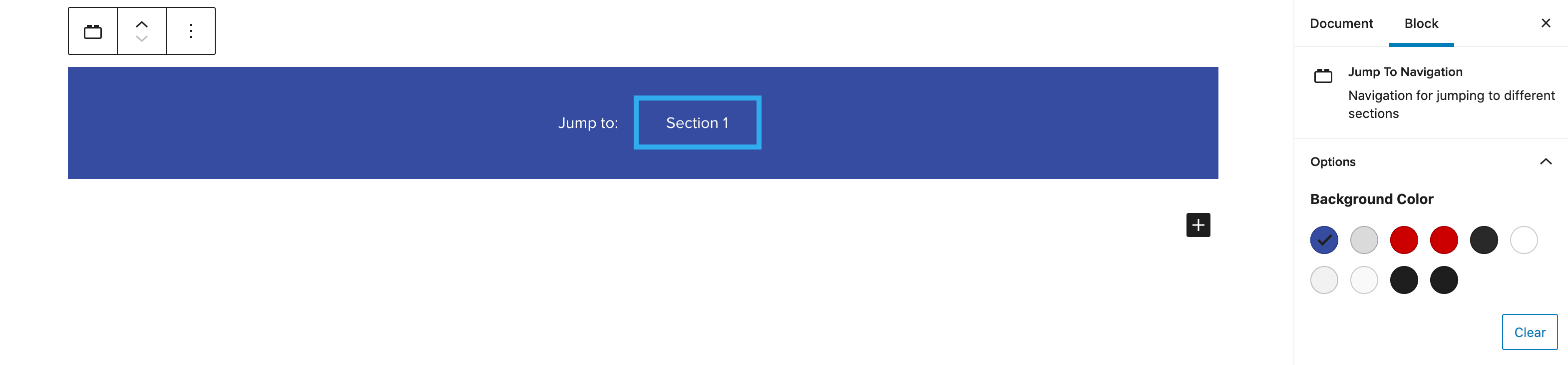
You will be able to add as many Section blocks and Jump To Nav blocks as you wish throughout the page using the above method.
Colour, Text Styling and Margin customisation
The background and text colours can be changed on each of the Jump to Nav independently of one another, using the options panel.

The text can also be styled to be underlined and made bold.

The Jump to Navigation block also includes a feature which triggers an alert should the background and text colour combination not meet the minimum colour contrast.
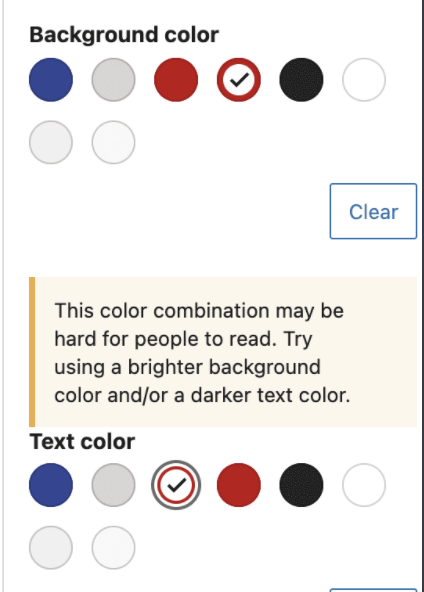
It is also possible to change the margins on the top and bottom of the Jump to Nav, these can also be set independantly from each other and can be set between 0-8.

Adding a Lead Form and ‘Back to Top’ button
A lead form can be added to the Jump to Nav by turning on ‘Has lead form’ in the options panel. The Form Prompt Text will default to ‘Request Info’, however this can be changed to anything you wish. Further information on Lead Forms can be found here.
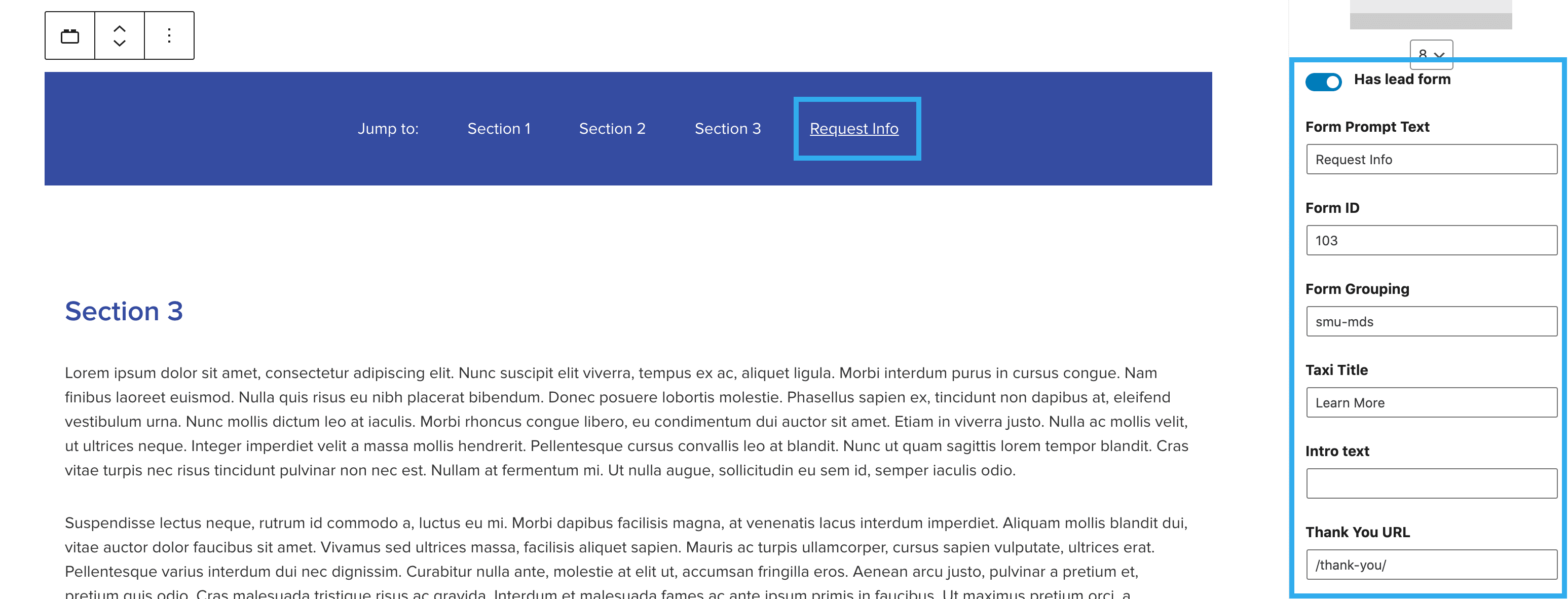
The ‘Back to Top’ option can also be turned on within this section on the options panel, this will allow users to jump directly back to the top of the page.
