


Footnotes Block
The footnotes block contains footnote information for any text on the page marked with a note. The block will include numbered lines of reference text and jump links back to the corresponding note within the page. Here is an example1 (see “citation” at the bottom of this page).
To use the footnote block highlight some text that you want to annotate and from the menu bar select the down arrow, then select footnote.
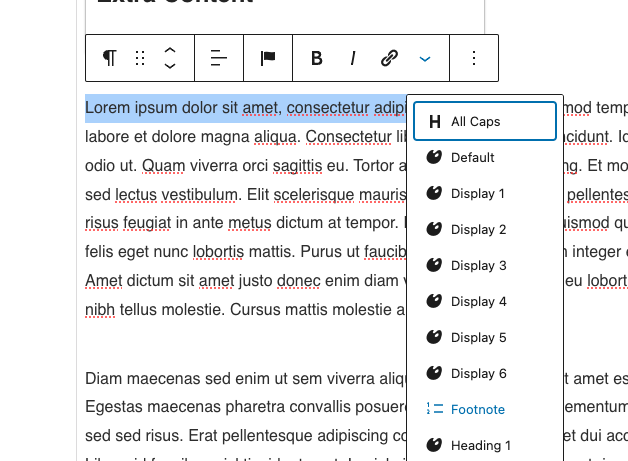
This will automatically add a footnotes block to the bottom of the page, with a number 1 and a jump link back to your note.
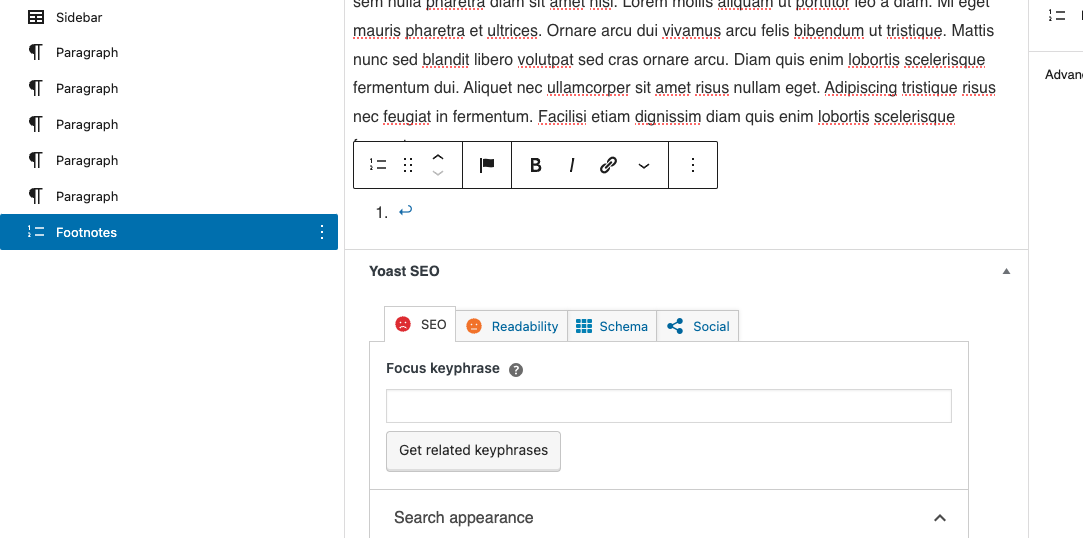
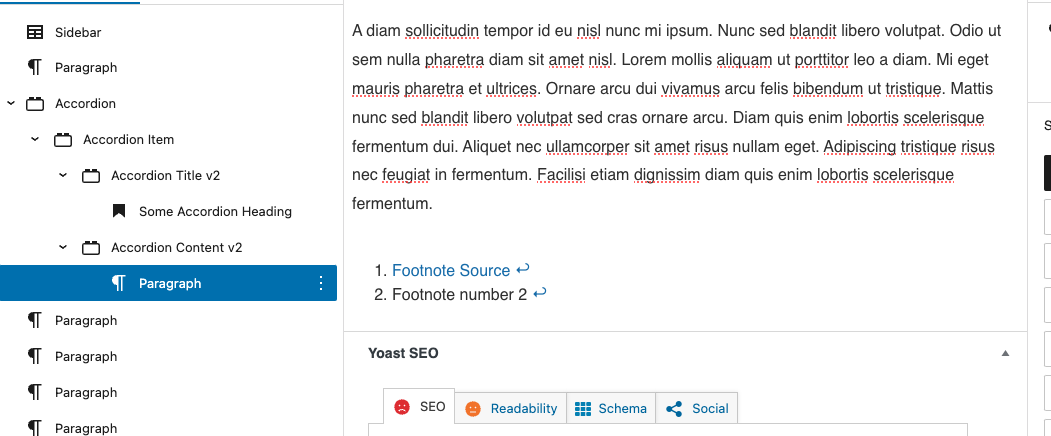
Once the footnotes block bas been added, type in some citation text. If you want to site another page or external source, you can add a link to your footnote citation text. If you add a second footnote to your page the footnotes block will automatically update with the number 2 and another jump link. This process can be repeated as many times as necessary.
Hints & Tips
- Only one footnotes block can be added to any page
- Footnotes can be added to any block except variation blocks, but they must be added to text, not images.
- Jump links to footnotes inside an accordion block will still work, even if the user has closed the accordion.
- The footnotes block will automatically adjust the order of the citations if edits are made to pages copy. The order of the items in the footnote block will always align with the order in which the note appear on the page.
- Citation ↩︎