


OneLogin SSO
User roles & permissions
Overview
Big Bite have integrated 2U’s OneLogin platform used for Single Sign On (SSO). The user roles & permissions have been implemented into the system, so that the assigning of roles, is carried out within the SSO platform, rather than within WordPress.
The mapped out user roles and permissions can be viewed below:
| Role | Authentication | WP Permissions Summary | Site Access | 2U Org Teams | Summary of Role |
|---|---|---|---|---|---|
VIP Support | circumvents SSO | Super Admin | Global | N/A – Automattic Team | Full Access |
Super Admin | SSO | Super Admin (standard WP) | Global | Marketing Tech Management, Engineers | Full Access |
Multisite Admin | SSO | Admin access to ever site | Global | Marketing Tech Team, Web Prod Mgr/Lead | Can’t create sites, delete sites, update core, install new themes, install plugins, create or delete users. Can manage categories |
Editor | SSO | Editor/Admin | Individual Sites | Creative Marketing, ODG, Email Team | Restricted from all of the above and also can’t publish pages |
SEO | SSO | SEO/Editor | Global | SEO Team | Restricted fro all of the above and also can’t edit / create / delete posts or pages content. Can only edit Yoast SEO fields |
Reviewer | SSO | Editor | Global | Brand, Compliance, Creative, Copy, CRO, Mktg Tech Ops, Sale Ops, Other Marketing | Read only role |
Custom roles for Brand and Event team stakeholders are still in progress.
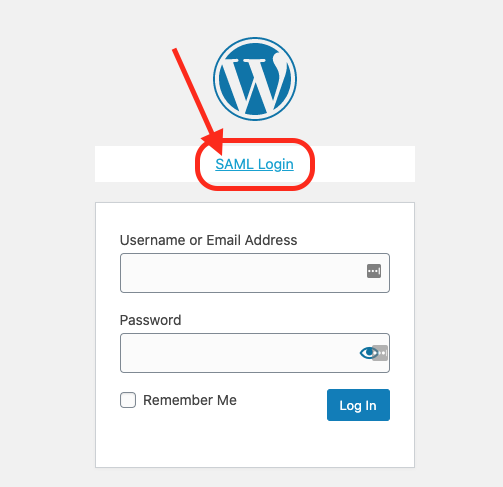
When logging into a site, make sure to use the “SAML” login button.
If you are unable to access the site via OneLogin, please reach out to the Marketing Technology team.