


Pingdom
What is Pingdom?
We use pingdom to help our pages load faster, which in turn will improve users visitor time per page.
After running a page through pingdom, we can pinpoint where the page load time is being slowed down and can work towards updating the page which mostly includes optimizing images.
How to use pingdom
Place the page URL you’re trying to test into the Pingdom Speed Checker.
How to optimize images.
The creative team will be optimizing images, but it’s useful for us to know how to direct them if needed.
Image Optimization Tips
Since images significantly add to the weight of the page, which will increase page load times for users, we want to minimize the number of images that are being requested from the server. So it’s important to ask whether the image is adding value to the site.
- Image Reduction
- ImageOptim
- Blur unimportant areas of JPEGs
- Use PNGs for images with minimal colors
- Use JPEGs for photos
- Additional Resoures
Image Reduction
Remove images that do not add value to the user experience. This is the best and easiest way to lower the size of our sites.
ImageOptim
ImageOptim is a free desktop application that reduces file sizes and removes metadata from files.

In the example above, a simple one color png logo was run through ImageOptim with a 56.5% reduction in file size.
Blur unimportant areas of JPEGs

Because of the way the JPEG algorithm compresses images, blurring backgrounds of images in a photo editor reduces the file size of images significantly.
Use PNGs for images with minimal colors
PNGs are best for logos and designs with minimal colors and is the best way to display a transparent image.
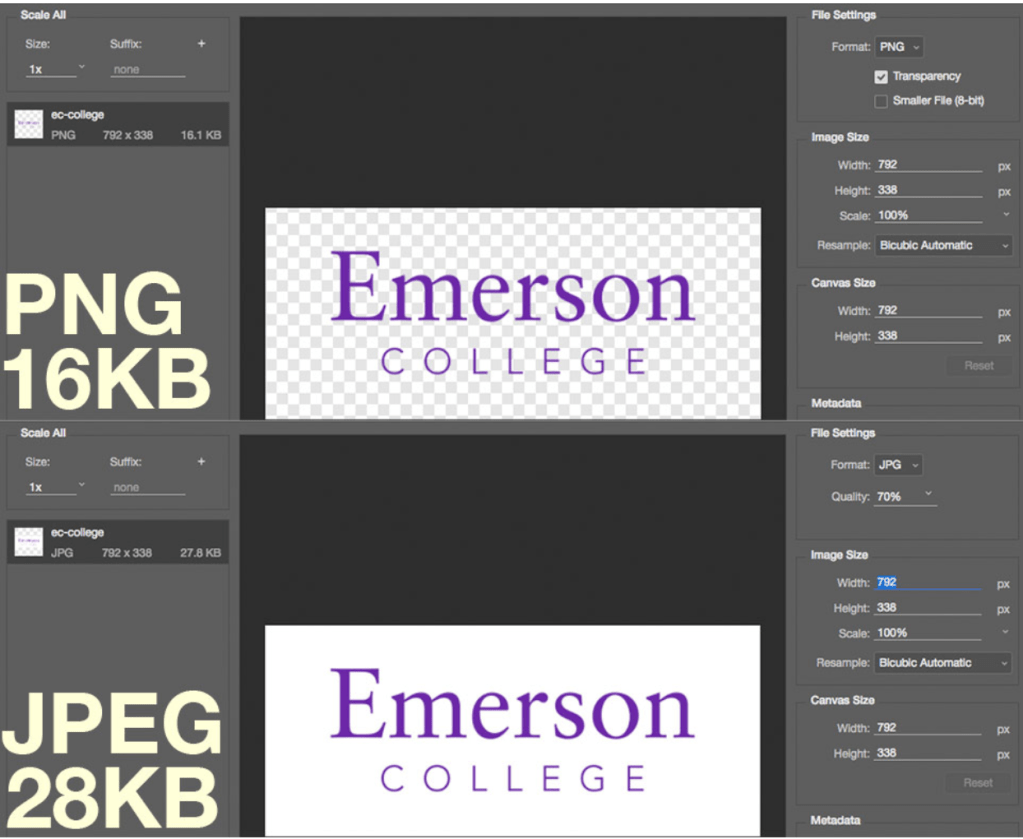
As you can see in the example above, the same image using PNGs for logos and simple graphics can save almost 50% (and retain transparency).
Use JPEGs for photos
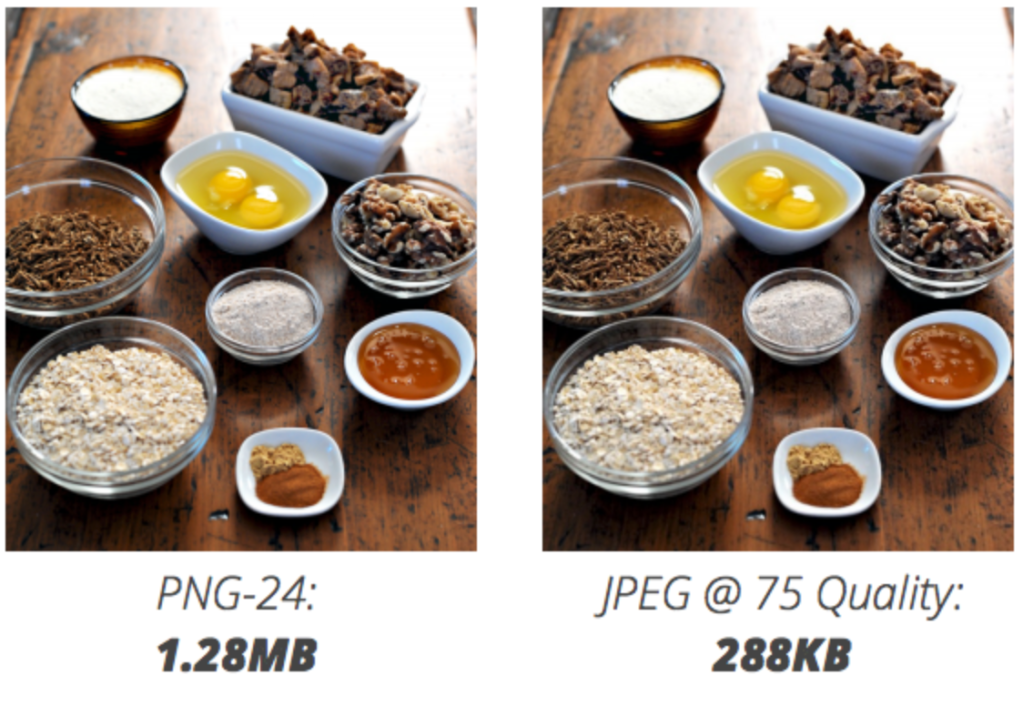
In the image above, you can see how choosing a JPEG over PNG results in much lower file size.
Additional Resources
Analyzes sites and makes suggestions to make pages faster.
Design for Performance Slidedeck
Covers enhancements that can be done to achieve faster load times.
Design Decisions through the Lens of Performance
Covers the concept of a page load budget.